Salesably Recorder
Record the real conversation. See exactly how it went.
Salesably Recorder captures your in-person sales meetings in one tap. It transcribes who said what, scores the conversation, and shows your reps the next move. No notes. No guessing.
Also on Apple Watch and Mac · syncs to your Salesably workspace
Capture it once. Review the summary, transcript, score, and next move while the deal is still fresh.
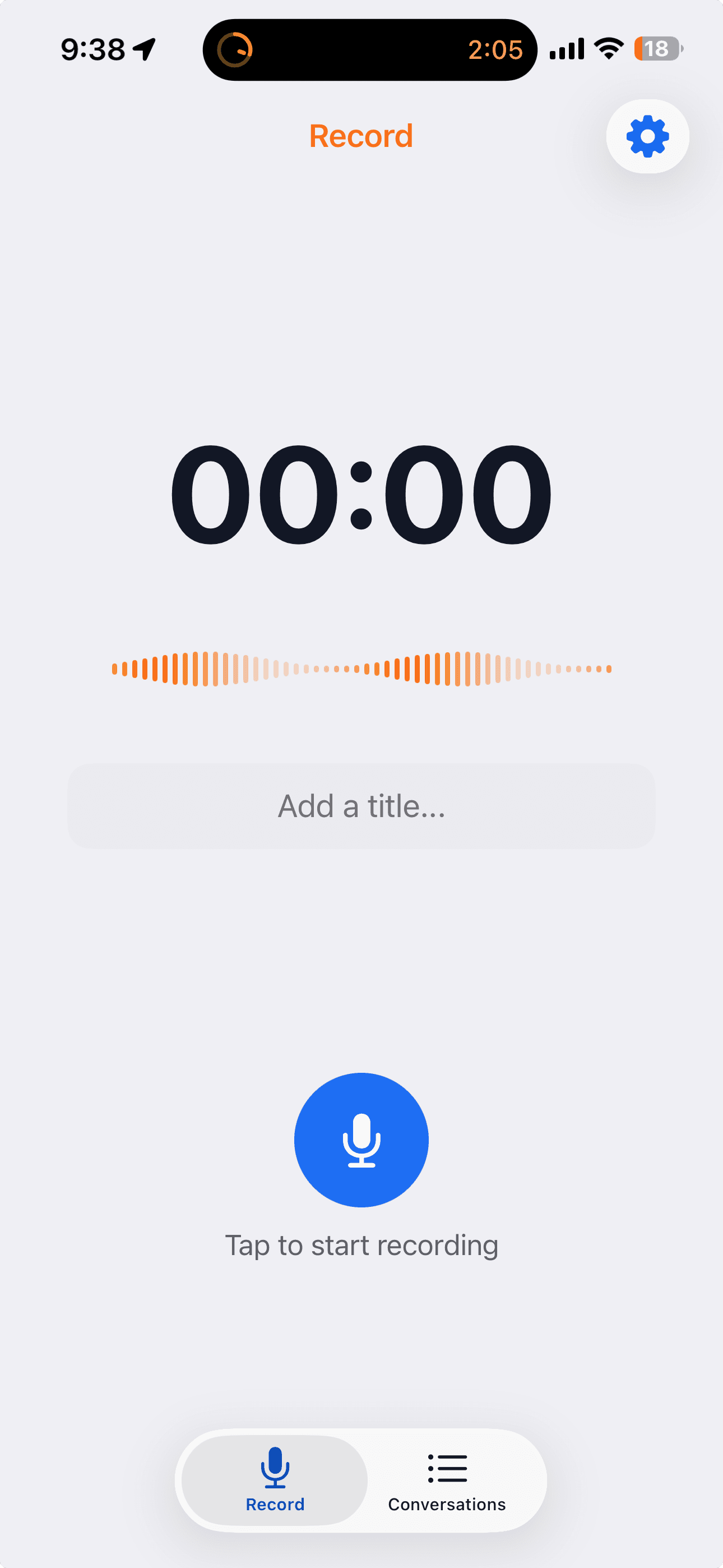
- 1 tap
- to start recording any in-person meeting
- Hands-free
- records in the background while you sell
- Speaker-labeled
- transcripts of every conversation
- Scored
- coaching on what worked and what did not

One tap, then it is just a conversation.
Review
Walk out with the summary and score.
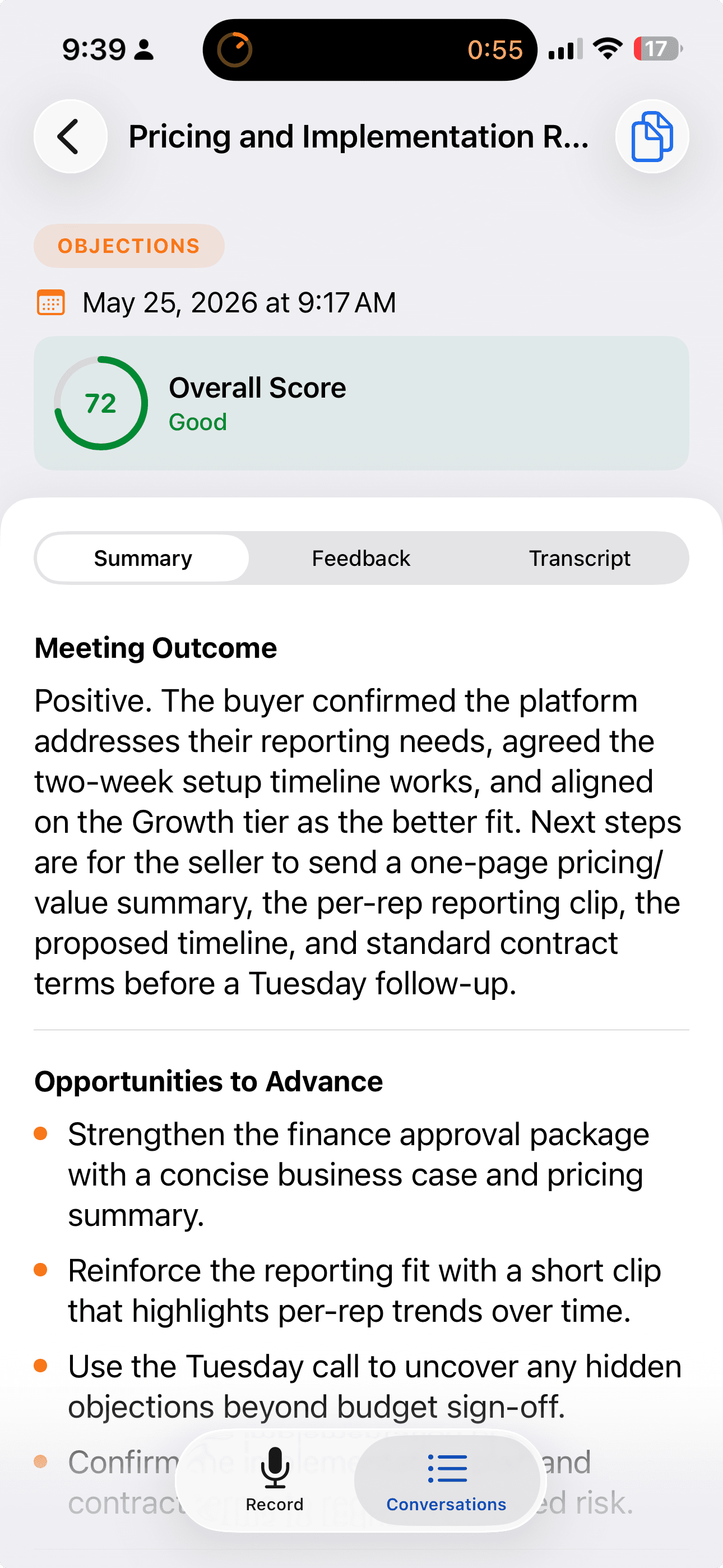
Salesably turns the recording into a meeting outcome, an overall score, and a list of openings to advance the deal. Summary, feedback, and transcript sit one tap apart.
- Meeting outcome and overall score in minutes
- Openings to advance the deal, pulled from what was said
- Summary, feedback, and transcript in one view
Coach
Coach the next move, not the memory.
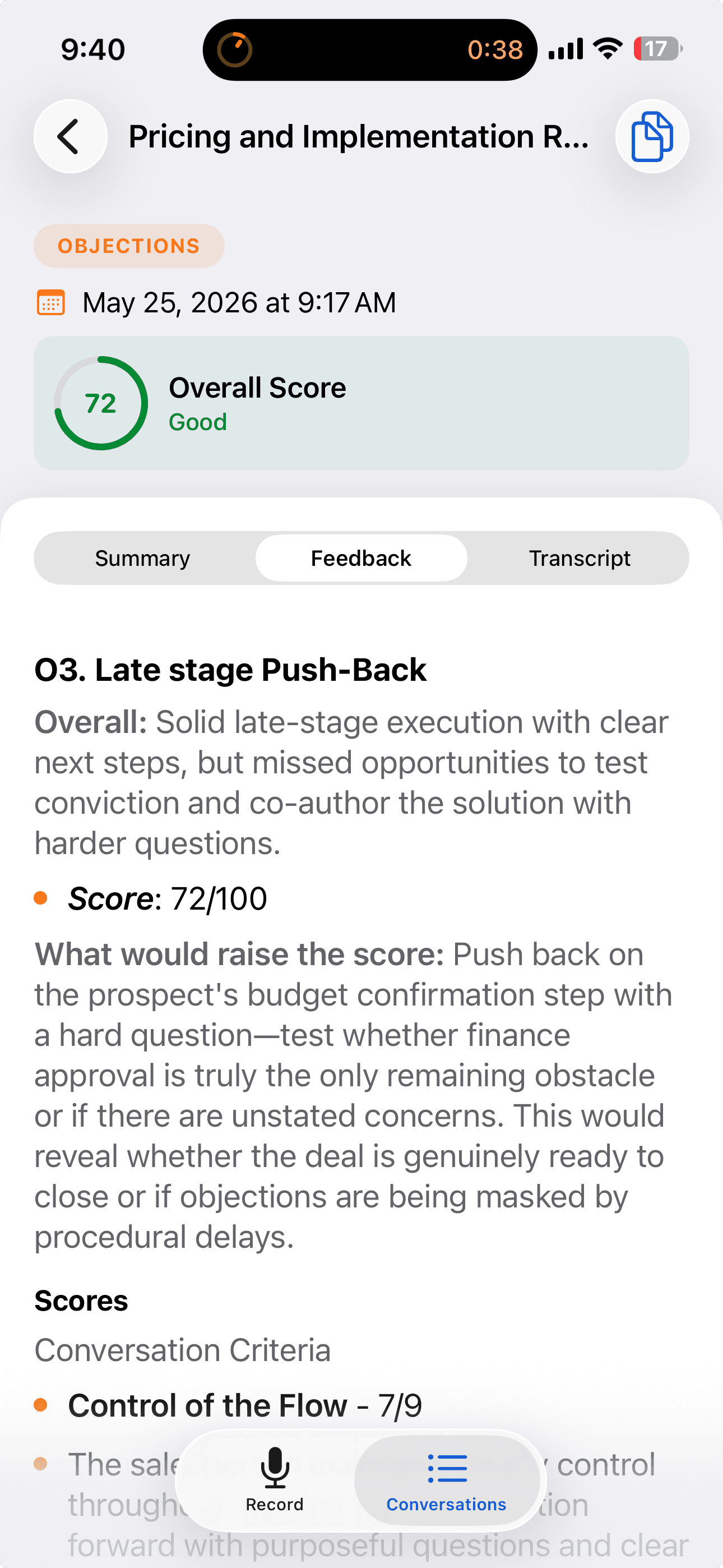
Every meeting gets scored the same way practice is scored. Reps see what was strong, what was weak, and the one question that would have raised the score, broken down by conversation criteria.
- A score out of 100 with the reasons behind it
- Specific feedback on what would raise the score
- Criteria-level scoring tied to how your team sells
Consent
Consent stays on the record.
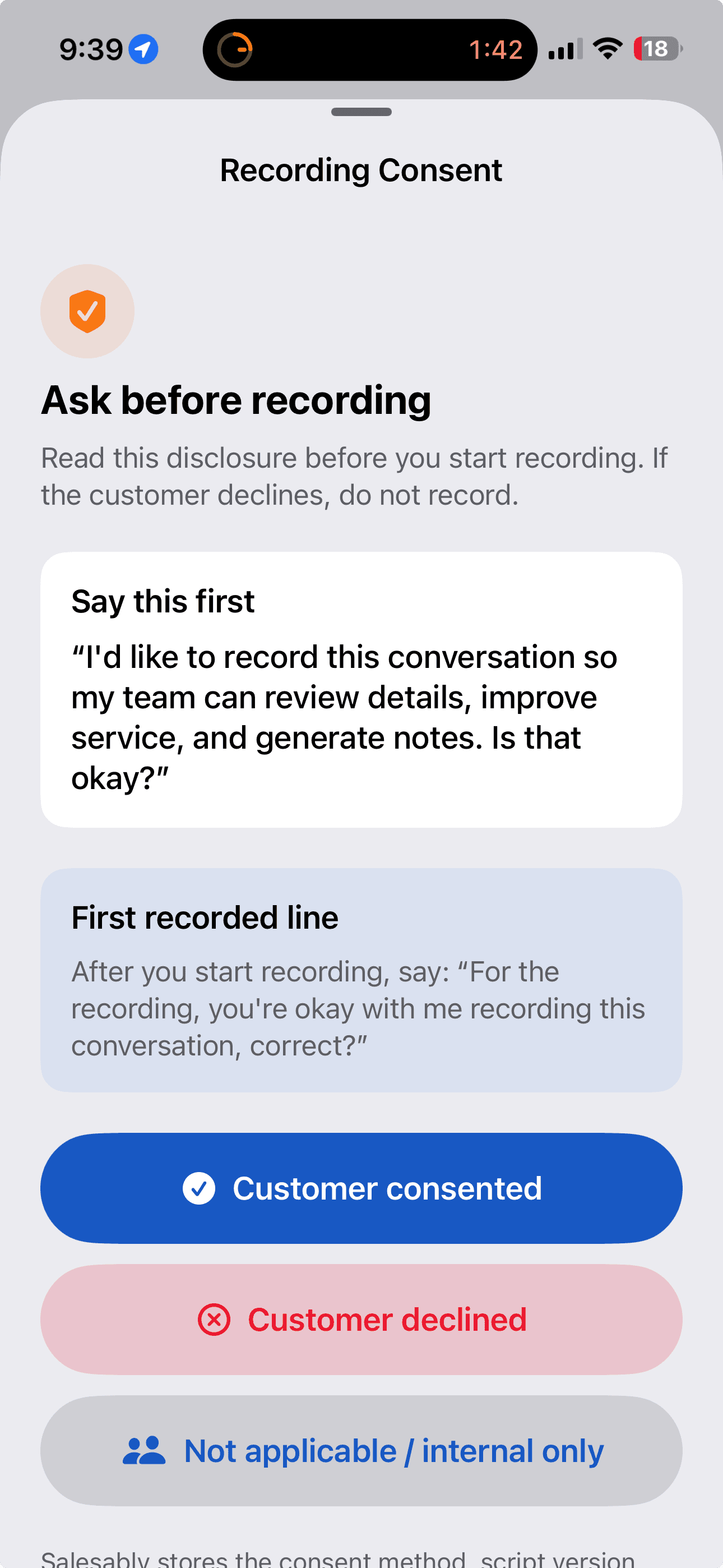
Before recording, the app hands your rep the words to say and logs the decision. Whether the customer consented, declined, or it was internal only, the method, script version, and location are stored with the recording.
- A consent script your rep reads before recording
- Consented, declined, or internal only, captured in one tap
- Consent method, script version, and location stored with the recording
From handshake to coaching
Three steps. No homework.

Record the meeting
One tap before you sit down. Keep the phone in your pocket while it records in the background.
Review what happened
The recording uploads to your Salesably account. You get a summary, a score, and a transcript with speaker labels.
Coach the next move
See where the conversation was strong or weak, and turn the feedback into a sharper follow-up.
What it does
Everything the meeting said, captured and scored.
One-tap recording
Start capturing the meeting the moment you sit down. No setup, no fiddling.
Records in the background
Keep the phone in your pocket. Recording keeps going while you focus on the customer.
Pause and resume
Step out, take a break, pick the conversation back up where it left off.
Speaker-labeled transcripts
See who said what, not a wall of text. Every line tagged to a voice.
Score and coaching
Salesably scores the conversation and points to the strengths and the gaps.
Offline upload queue
Record with no signal. Recordings queue on the device and upload on their own once you are back online.
Face ID lock
Lock the app behind Face ID so recordings stay private on a shared or borrowed phone.
Optional PII redaction
Turn on redaction to strip sensitive details like financial, health, and contact information from the transcript. Admins can require it across the whole workspace.
Also on Apple Watch
Run it from your wrist.
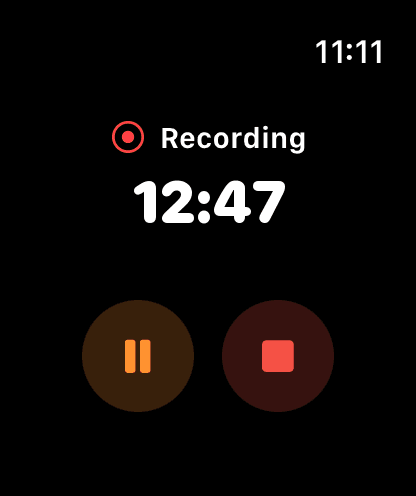
Start the recording, log consent, and keep the timer in view from your Apple Watch. The phone stays in your pocket and the conversation never breaks stride.
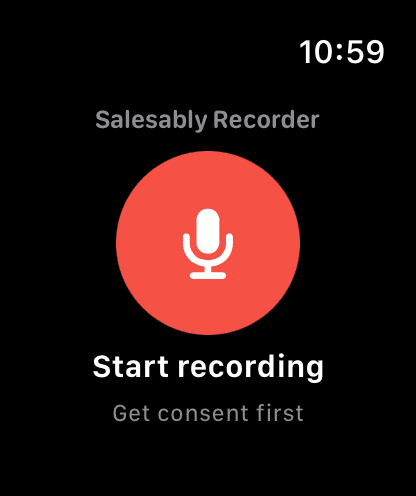
One tap to start
Begin the recording from your wrist. Consent comes first.
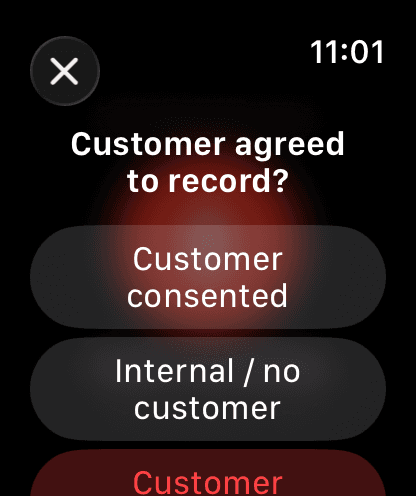
Log consent on the spot
Consented, internal only, or declined, in one tap.
See it running
Timer, pause, and stop, right on the watch face.
Also on Android
Same app. Same score. On your phone.
Record, review, and coach the same way on Android. One tap to start, every meeting scored, the whole history in your pocket.
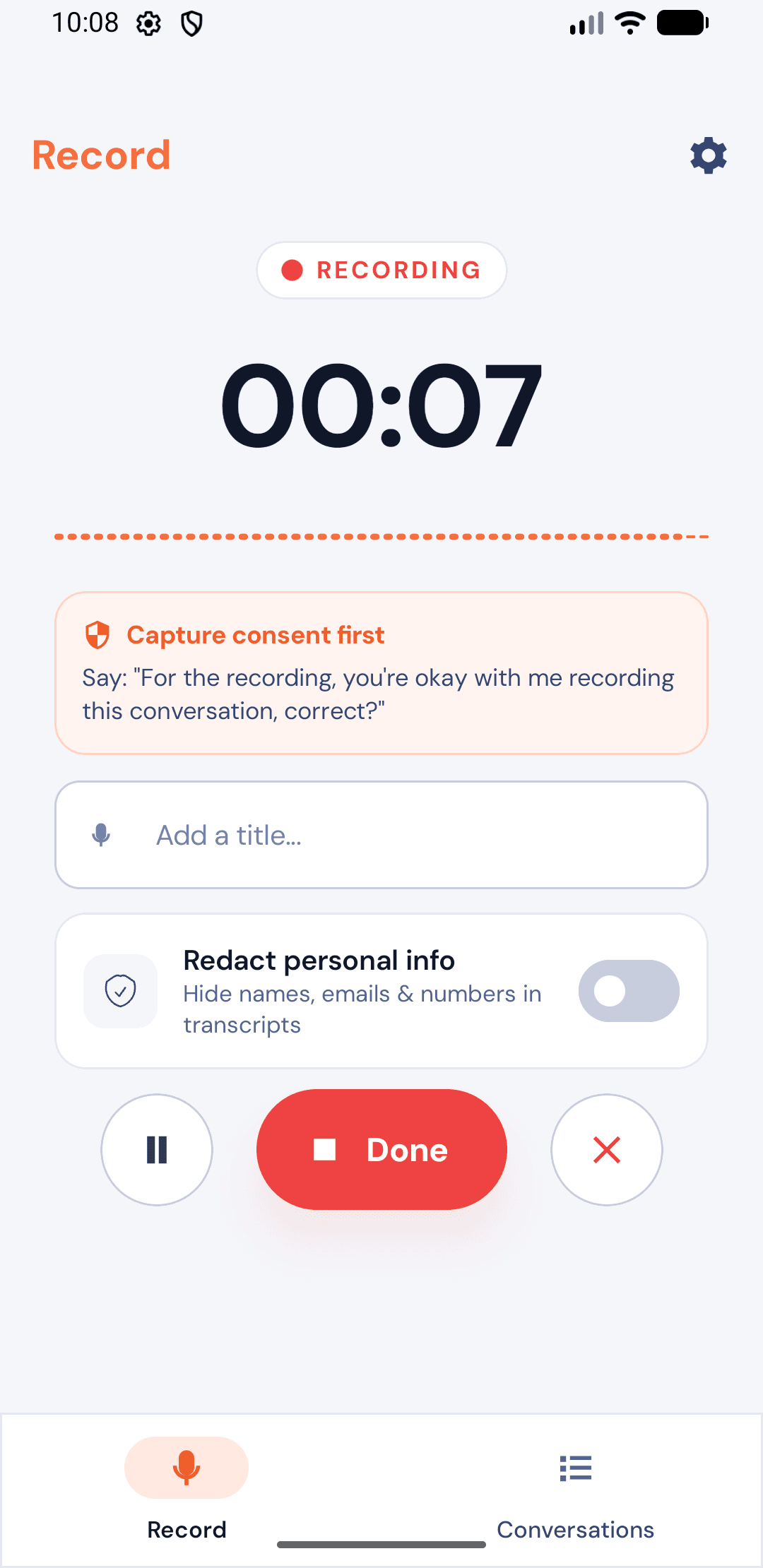
Record
One tap starts the meeting. The consent script sits right there while it runs.
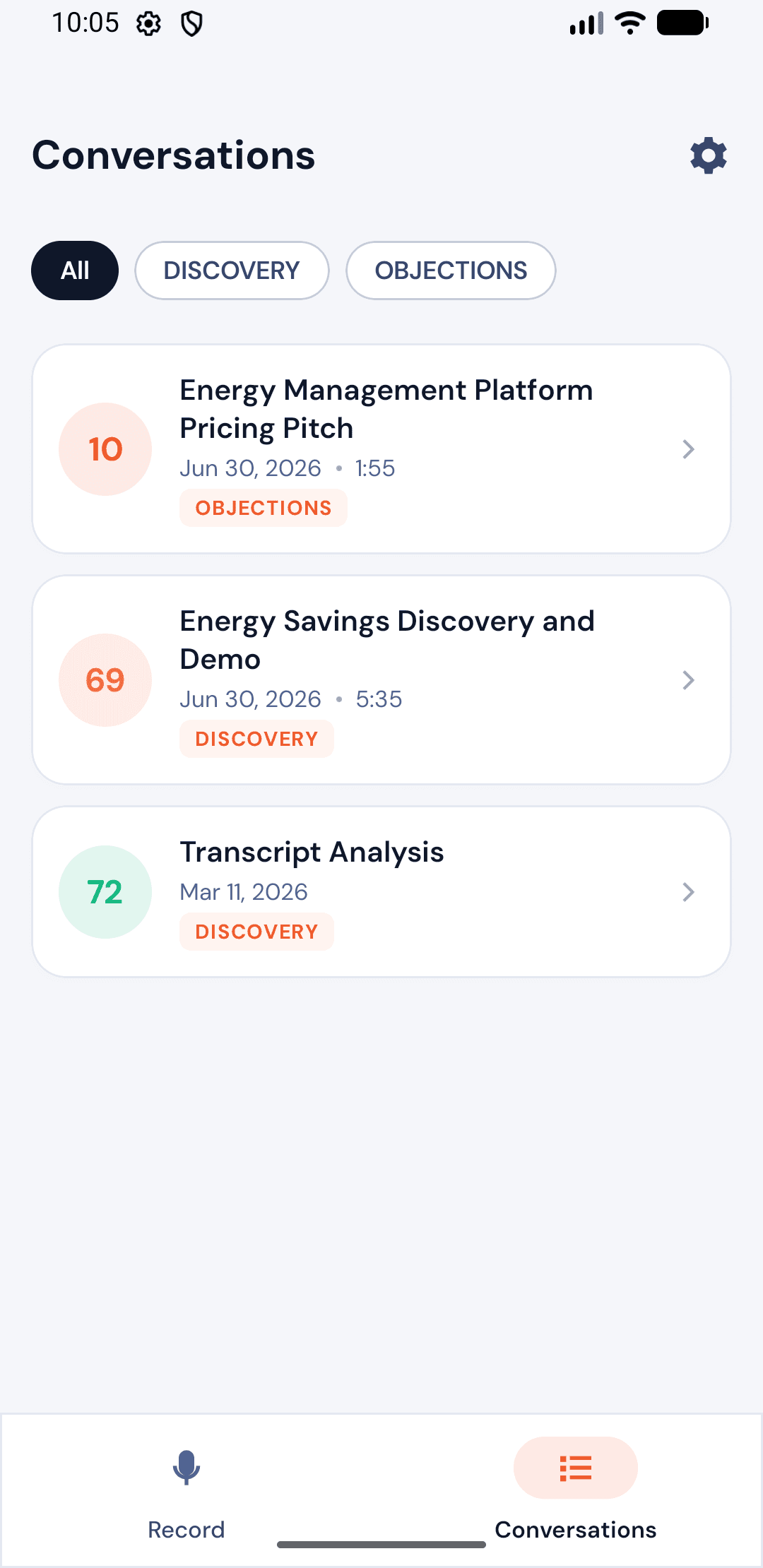
Conversations
Every meeting in one list, each with its score and tag.
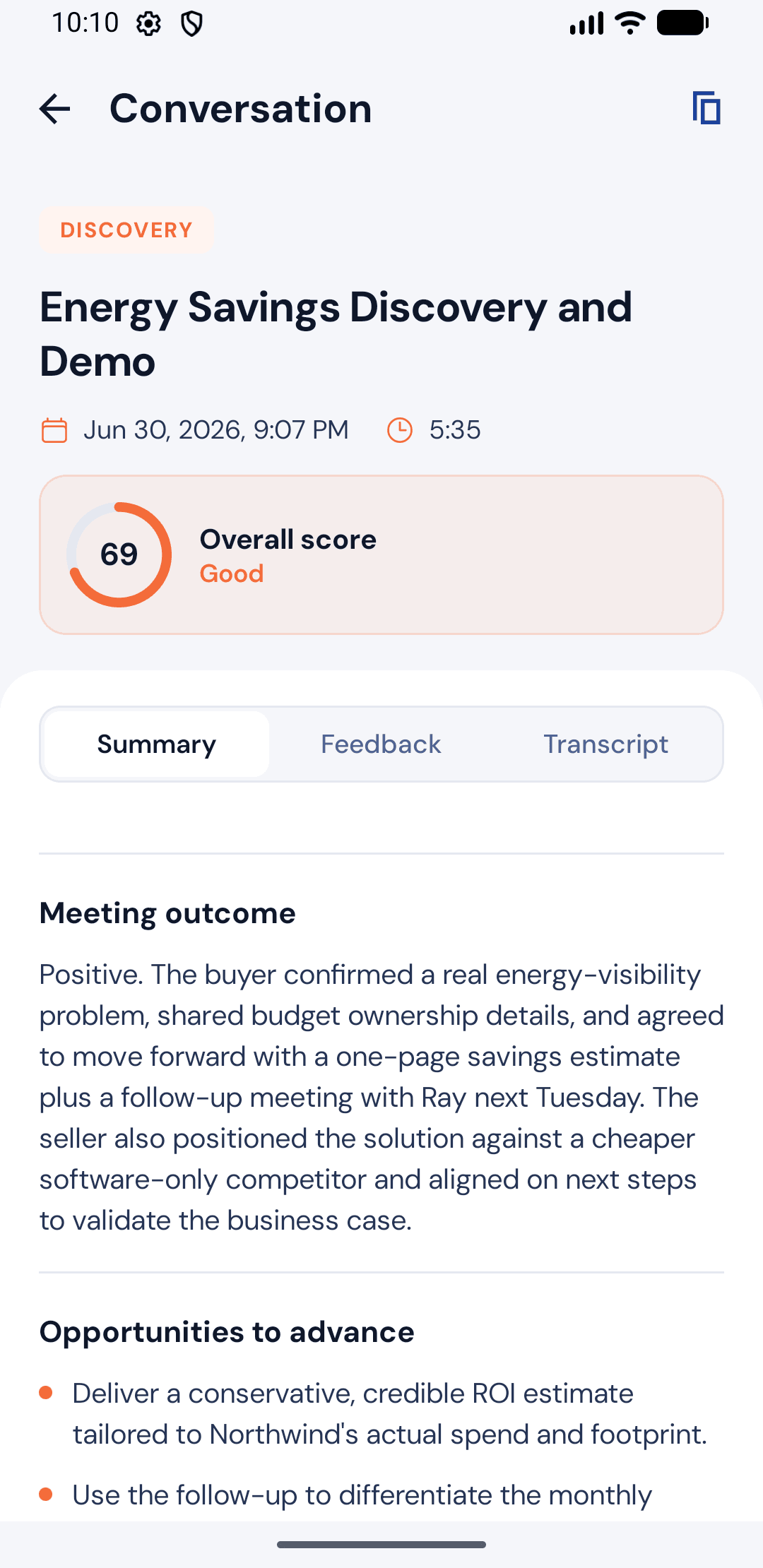
Score
Walk out with the outcome, the score, and the next move.
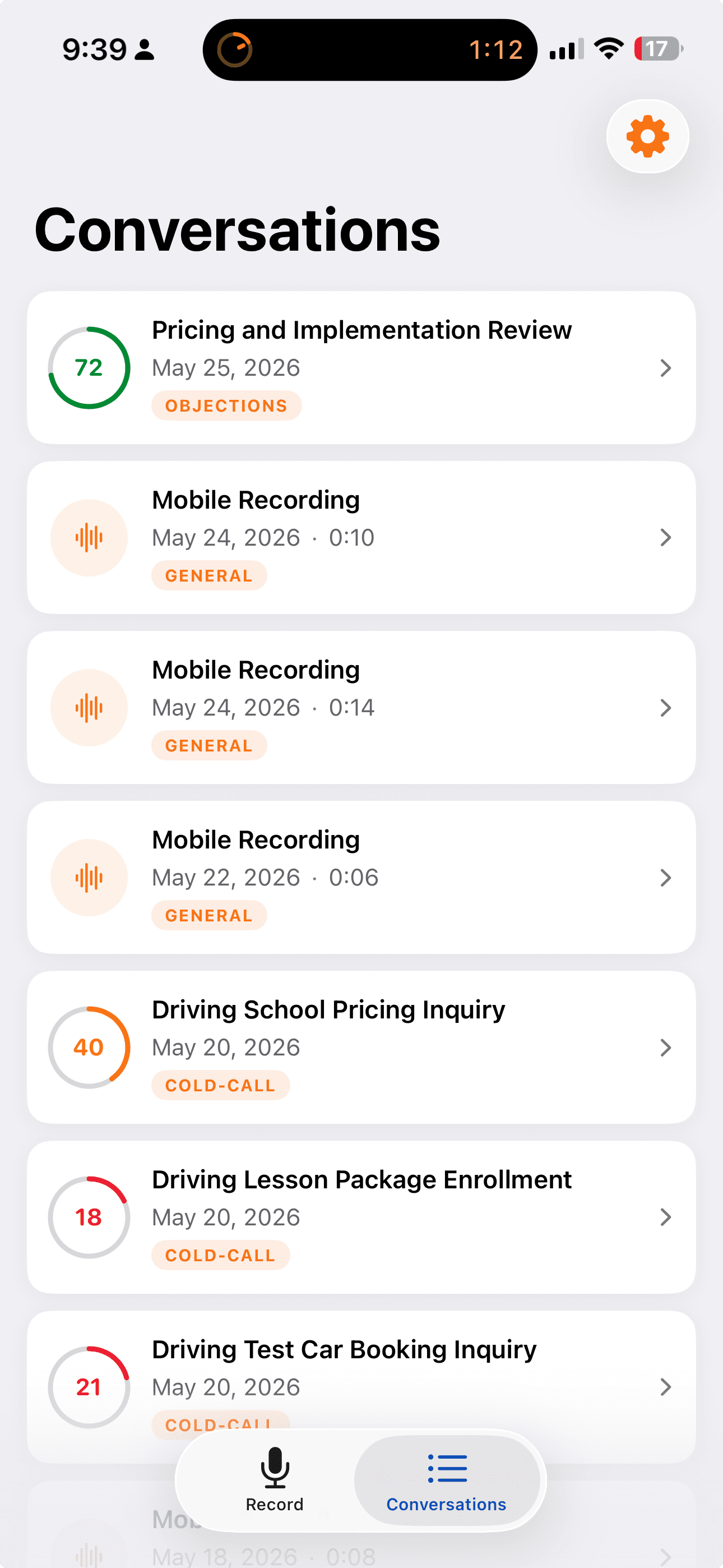
Every conversation
One inbox, newest first, every line on the record.
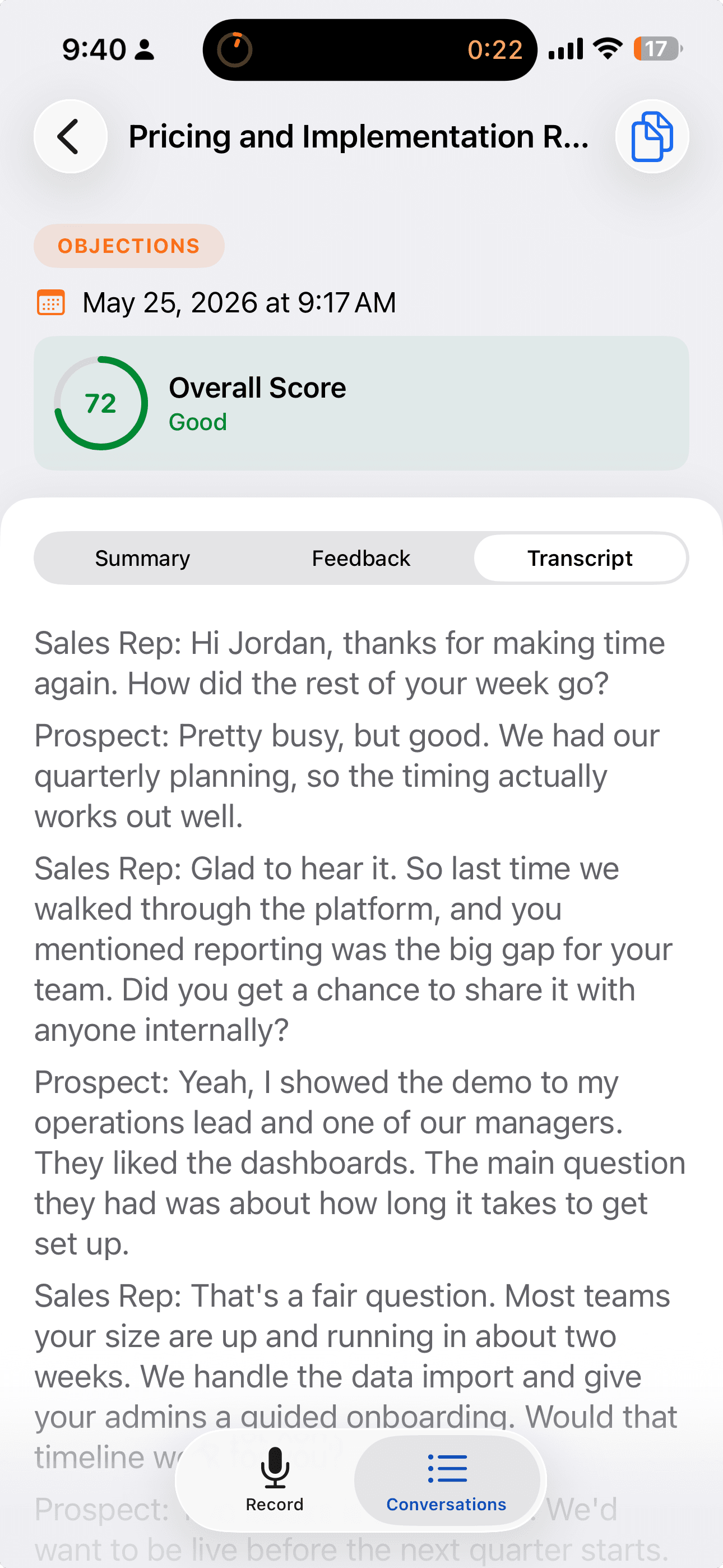
Recordings land in a single list, each with its score and tag. Open any one to read the full transcript with speaker labels, copy the summary, and pick up the follow-up.
- Your full mobile conversation history in one place
- Color-coded scores and tags at a glance
- Copy the summary or transcript for notes and CRM
The engine behind it
Built on the Conversation Analyzer.
The Recorder is the in-person side of the Conversation Analyzer. The same analysis joins your Zoom, Google Meet, and Teams calls and scores imported recordings and transcripts. Whether the meeting happened across a table or on a screen, the readout is the same: a speaker-labeled transcript, a score against your methodology, and the coaching to raise it.
Live meetings
A notetaker joins your Zoom, Google Meet, and Microsoft Teams calls.
Imports
Recordings, transcripts, Otter AI exports, and files from Google Drive.
In person
You are here. The Recorder covers the meetings that never touch a screen.
Stop reconstructing the meeting from memory.
Record it once. Let Salesably handle the transcript, the score, and the coaching. Built for Salesably teams on iPhone, Apple Watch, Android, and Mac.