Ask Sabine: What Do Your Team's Calls Have in Common?
Sabine is Salesably's AI sales execution agent. Ask her in plain words what your team's calls have in common, who needs coaching, or what to say to a buyer, and she answers from your studio and sets up the next step for you to confirm.
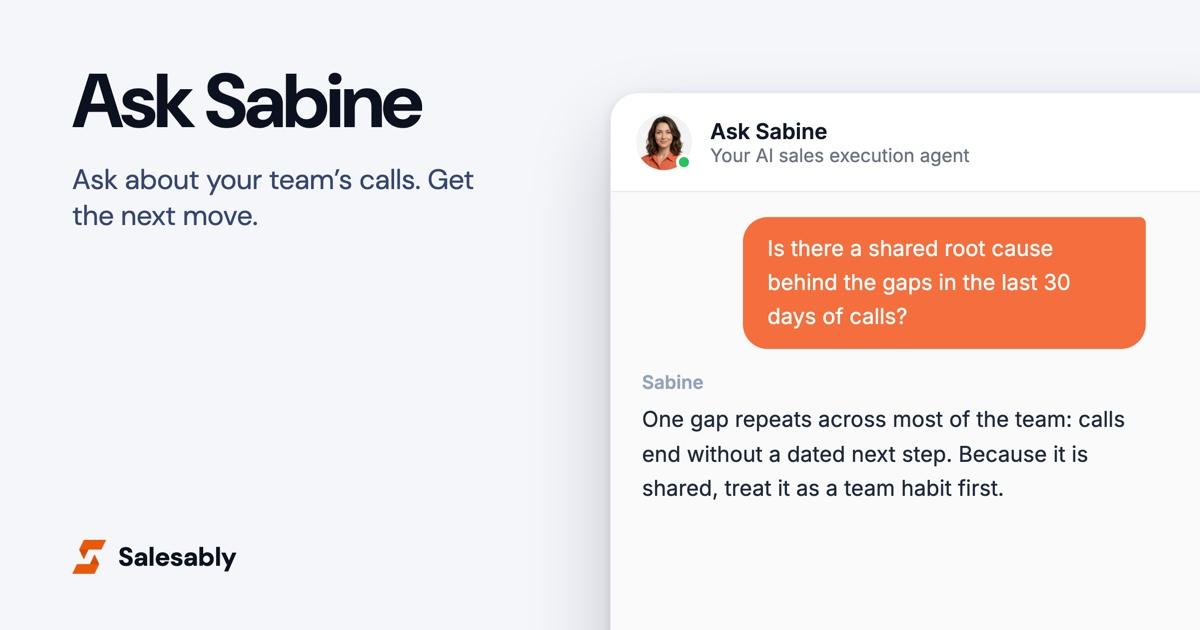
A sales manager's questions are short. Who needs help this week? What keeps going wrong on our calls? Is that a rep problem or a team problem? The answers are spread across call scores, practice results, assignments and a playbook nobody has time to search, so most weeks the questions go unanswered.
Sabine is Salesably's AI sales execution agent. You ask her in plain words, from any page in the app, and she answers from your studio: your team's analyzed calls, their practice, the work you've assigned and your playbook. When the answer is an action, like assigning practice, she sets it up and waits for you to press Confirm.
Where to find her
Sabine sits at the right of the top bar on every page. Her button shows her face and a short question: "Who needs coaching this week?" for managers, "What should I practice next?" for reps. Click it and the chat opens in a column at the right edge of the page, so whatever you were looking at stays on screen.
You can also start from search. Type what you want, and a row in the results offers to ask Sabine instead.
On a page about one thing (a practice result, an analyzed call, a Deal Clinic readout) her button opens a Sabine who has already read that page. Every chat is saved under Chats in the side nav, so you can pick one up where you left off.
Ask across your team's calls
This is the question most managers never get answered: what do our calls have in common?
Open the Conversation Analysis report and ask Sabine about a group of calls. Name a period ("the last 30 days") or the reps you want compared. You can narrow it to one type of call or one rubric. She reads the most recent 40 analyzed calls in that group, then goes criterion by criterion through the rubric: how many calls fell short of the top level, how many reps, and whether the gap belongs to a few people or to nearly everyone.
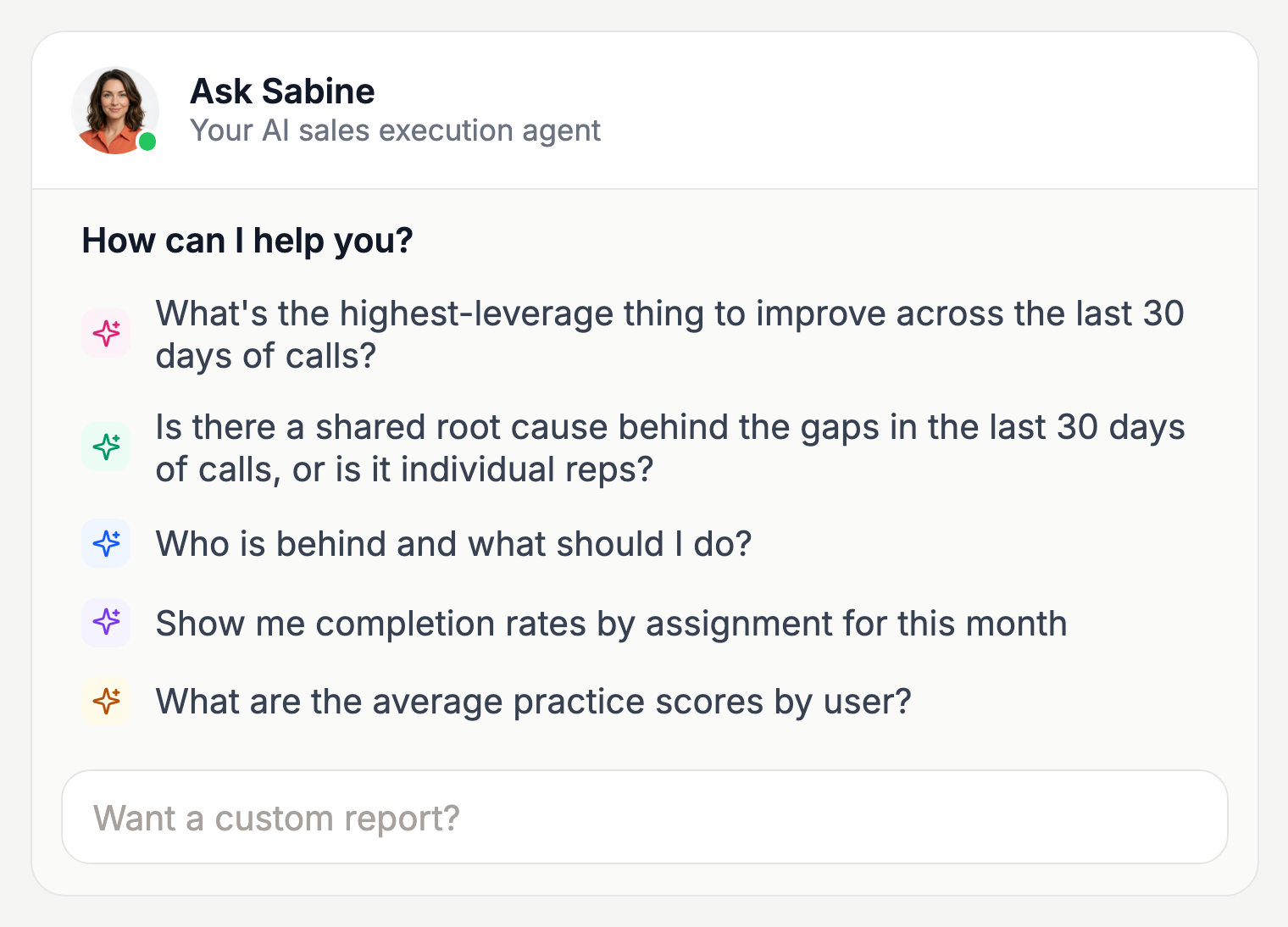
What comes back:
- The patterns that repeat, each with the calls that show it.
- The one improvement worth the most, if you only fix one thing.
- Possible shared causes. When a gap runs across the whole team, the cause is often upstream of the reps: the company story, the positioning, what the team understands about the product, or how they're managed. Sabine labels each of these as a hypothesis, says what supports it and what would confirm it, and says so plainly when the evidence is too thin to name a cause.
- Two separate lists of actions. What the company or the manager should change, and what to coach with individual reps. A gap the whole team shares is never read as the reps doing badly.
The calls she read are listed under her answer with links, so you can open any of them and check.
Custom reports in one sentence
On the Reports pages her button reads "Want a custom report?". Ask for the cut you want, like completion rates by assignment for this month or average practice scores by rep. If one of the built-in reports already answers it, she sends you there. If not, she builds it: the figures go in her answer, and the table sits underneath with a Download CSV button.
Run the team from Home
Open Home in the Team view and Sabine has already started. Before you type anything she names who needs your attention over the last 30 days, starting with the most urgent and why, and the learning path rollout that is furthest behind.
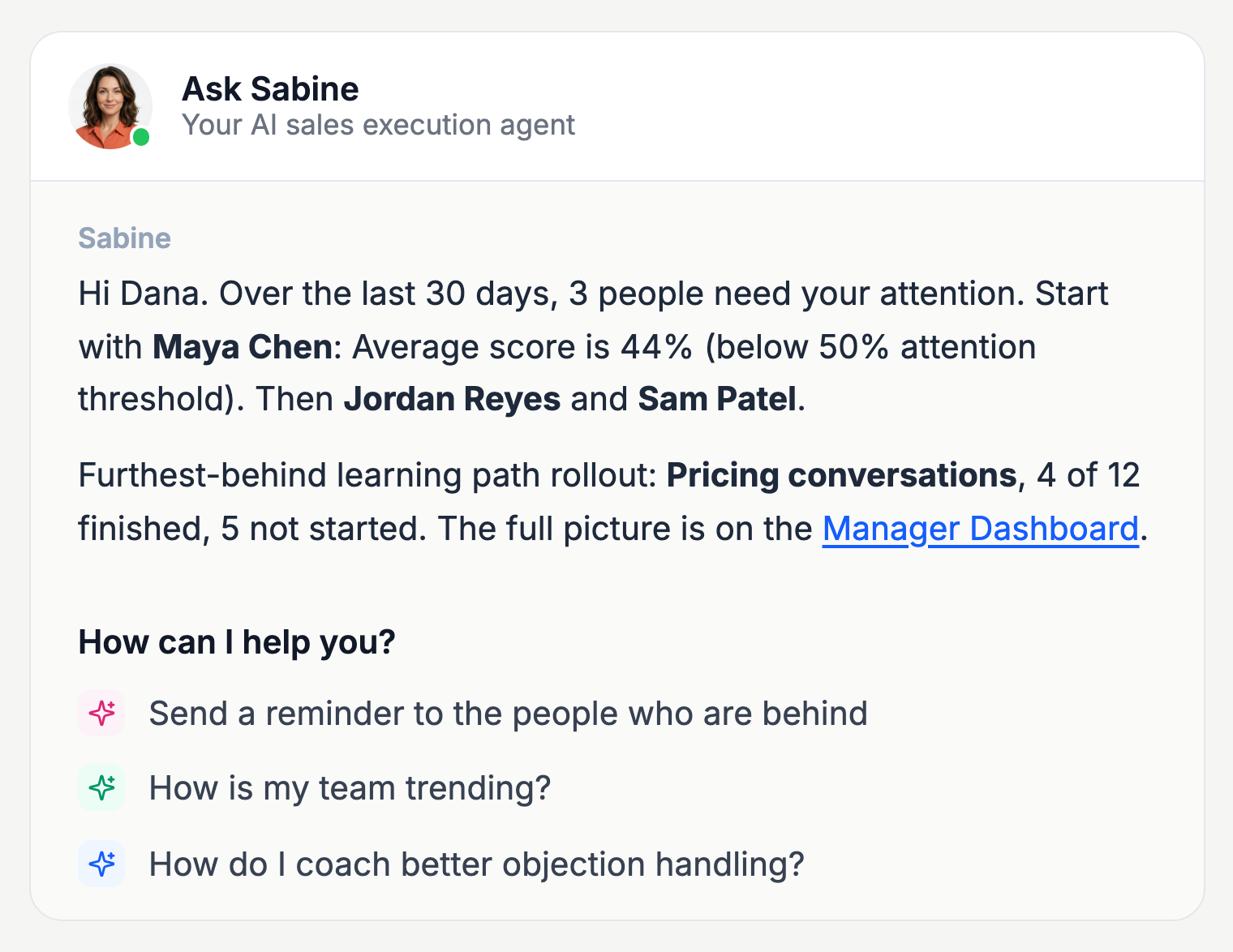
Then ask her to act on it. Supervisors and admins can have her assign an existing practice scenario, test or published learning path to people, with a due date. Assigning it again moves the date. Admins can also have her email a reminder to everyone who is behind, or change a rubric.
She never does any of this on her own. Each action shows up as a card that names exactly what will happen, who it goes to and when it is due. Nothing changes until you press Confirm, and Cancel leaves everything as it was.
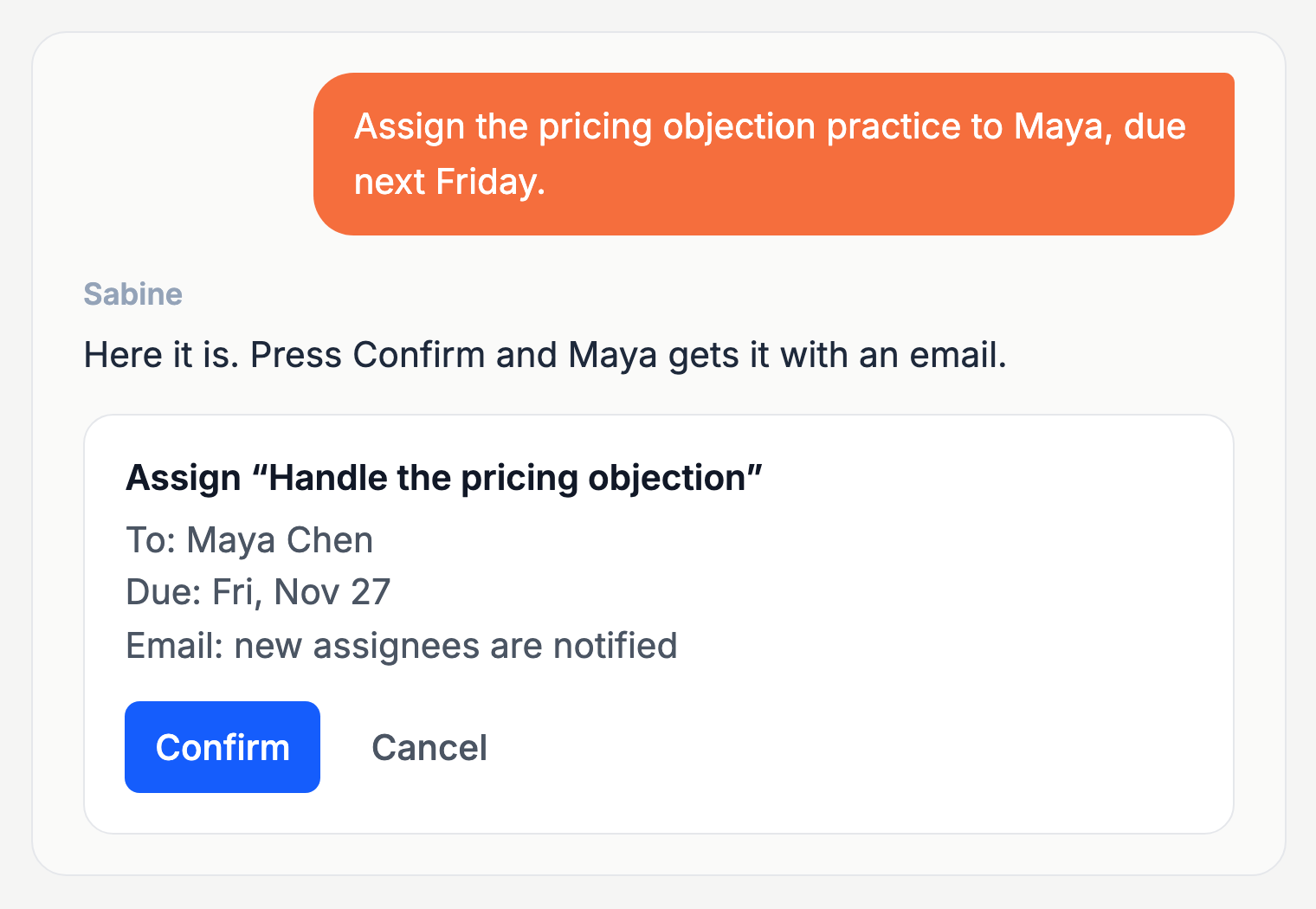
The names and numbers in these pictures are from a demo studio.
Managers can also ask what the team has been asking her. She answers from Voice of the Rep, the report of what reps asked Sabine and typed into search, including the questions your playbook had no answer for.
Coaching on one call, result or deal
On a practice result, an analyzed call or a Deal Clinic readout, Sabine has already read the score, the feedback and the transcript or source material. Ask her what to fix first, what the buyer was really saying, or what the rep should secure before the next meeting.
On a Deal Clinic readout she works on a live deal, not practice. Ask her to plan the next move, draft the follow-up, or pressure-test the plan to close, without explaining the deal again.
When her answer is about a buyer situation, she ends it with a link that opens practice for that exact situation. The coaching and the practice are one click apart.
What your reps get
Reps see their own side of Sabine. On Home she opens with what is overdue, what is due in the next 7 days and which learning path to pick up, with links. Her suggested questions are "What should I work on today?", "What's due this week?" and "How am I trending?".
She answers what to say to a buyer, and product, pricing and terminology questions, from your studio's playbook only. A rep can attach up to three documents to a message, either From the playbook or with Upload a file, and ask about them.
She also remembers. Sabine keeps a short note about each person, and a line under her reply says when she adds to it. Each person can read and edit that note in Account Settings.
Sabine by email
Sabine has her own inbox: sabine@salesably.ai. Reps write to ask what is due, how their practice is going, or what to say on tomorrow's call. They can forward a prospect's email and ask how to reply, or send a draft for her to review before it goes out. Managers can ask how a teammate is doing, ask for a report, or have her assign work.
She writes first, too. The weekly manager update and the alerts for calls that score below your threshold come from her address, so a reply reaches her.
What she won't do
- Make up numbers. Counts come from your studio's data and she repeats them as they are.
- Make up pages. She links only pages that exist in the app.
- Change anything without you. Every assignment, reminder or rubric change waits for Confirm. For a rep, she changes nothing and says their manager or an admin can.
- Overstate a cause. A guess about why the team struggles is marked as a guess, with what would prove it.
Questions to try
For managers:
- "What's the one thing to fix across the last 30 days of calls?"
- "Is there a shared root cause behind the gaps in the last 30 days of calls, or is it individual reps?"
- "Who is behind and what should I do?"
- "How do I coach better objection handling?"
For reps:
- "What should I work on today?"
- "How am I trending?"
Try it
Sabine is in Salesably for reps and managers, on every page of the app and at sabine@salesably.ai. The team questions, reports and actions open up with a supervisor or admin role. Sign in and click her face at the top right.
New to Salesably? Book a demo. See how you sound different.
Author

Vidal Graupera
Vidal is the Founder of Salesably, focused on using AI to elevate human skills in sales training and enablement. He has extensive experience in building platforms that leverage artificial intelligence for sales improvements.
Table of Contents
Free Sales Training Guide
Download our comprehensive guide to building effective sales training programs that drive results.
AI Sales Training Template: 2026 Edition
PDF Guide • 16 pages • 3.0 MB
We respect your privacy. Unsubscribe at any time.