What's New in Salesably - August 2026
Calendar auto-join sends the Notetaker to your external meetings on its own, managers can report on any date range they like, and Sabine now links straight to the work she recommends.
Every coaching loop has the same weak link: the gap between noticing a problem and doing something about it. Somebody has to remember to record the call. Somebody has to pull the right report. Somebody has to find the assignment the coach just recommended.
August went after that gap in five places.
The Notetaker joins the meeting on its own
Who it is for: Anyone whose calls should be reviewed. Set up once per person.
Conversation Analyzer now connects to Google Calendar and sends the Notetaker to your upcoming meetings without anyone pasting a link.
Connect the calendar once and Salesably watches it from then on. Meetings with people outside your company get joined automatically. Internal meetings are never joined, so a one on one with your manager stays private by default. You can review the upcoming list and skip or force a join on any single meeting, or on a whole recurring series, before it happens.
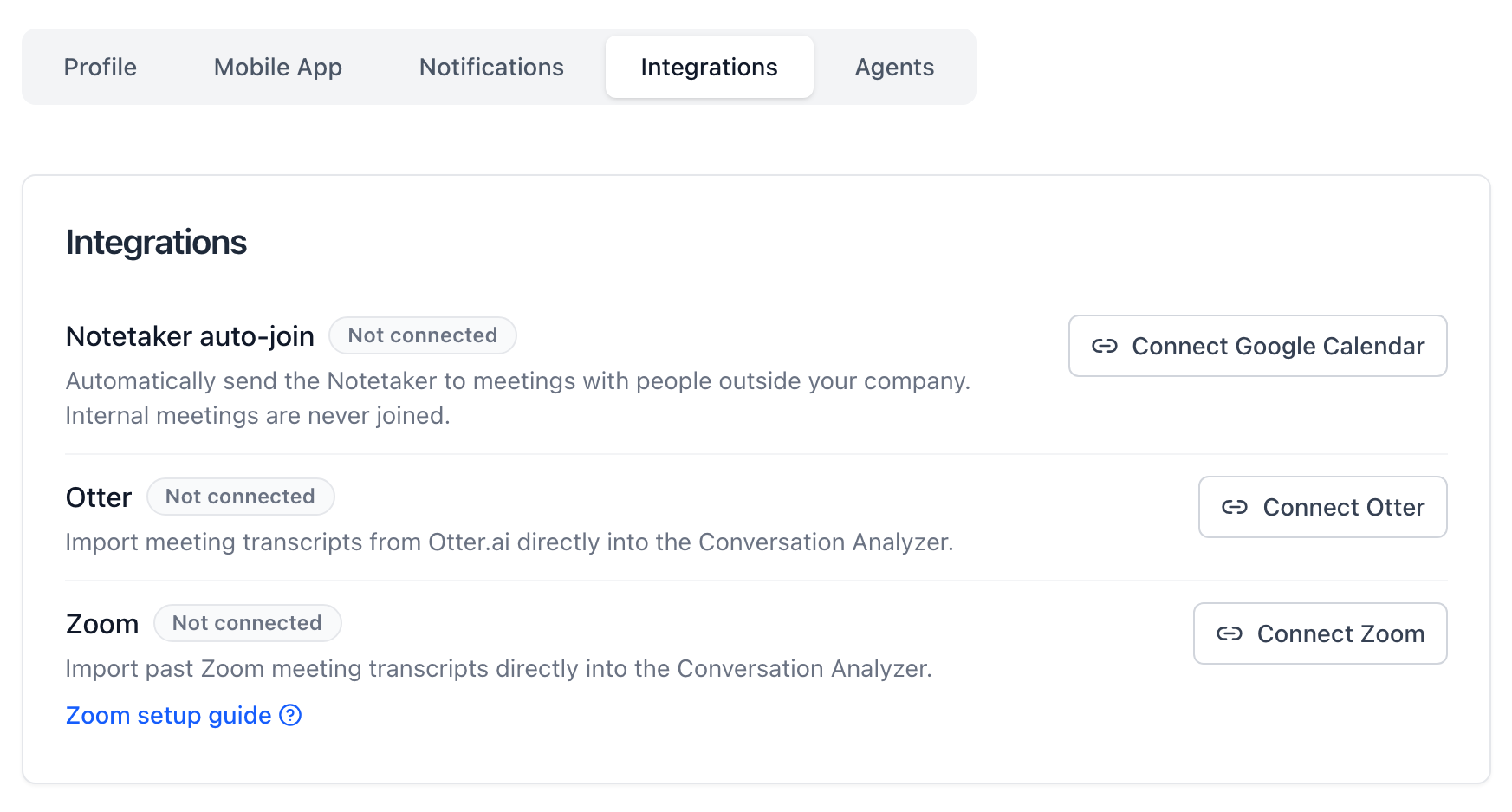
Settings, Integrations. One connection, then the calendar does the remembering.
The point is not convenience. It is coverage. A coaching loop built on calls that somebody remembered to record is a loop built on the best weeks and the most organized reps. Calendar auto-join makes real-call evidence the default instead of the exception, which is the only way transfer data means anything.
Turn it on: Settings, then Integrations, then Connect Google Calendar.
Manager reports match the question you are asking
Who it is for: Managers and anyone who runs a pipeline review.
The manager dashboard now covers Today, Yesterday, Last 7 days, Month to date, Last 30, 60 and 90 days, Last year, and any custom range you type in. The KPI tiles, the rep comparisons, the needs-attention list and the coaching summaries all follow the range you pick.

Pick Custom range and the From and To fields appear next to the filters you already had.
A fixed 30 day window answers a generic question, so it gives you a generic answer. The questions managers actually ask have edges: how did the team execute during the launch week, what changed in the two weeks after that coaching session, who moved between the last pipeline review and this one. Set the range to the thing you are asking about and the report becomes evidence you can use in the meeting instead of a number you have to explain around.
Where to find it: Team Reports, then Manager Dashboard, then the Timeframe control.
Sabine's answers link to the work
Who it is for: Reps and managers.
When Sabine points at an assignment, a test, a Learning Path, a report or any other page in Salesably, the answer now carries a link that opens it. Below every reply there is a copy button and a thumbs up or thumbs down.
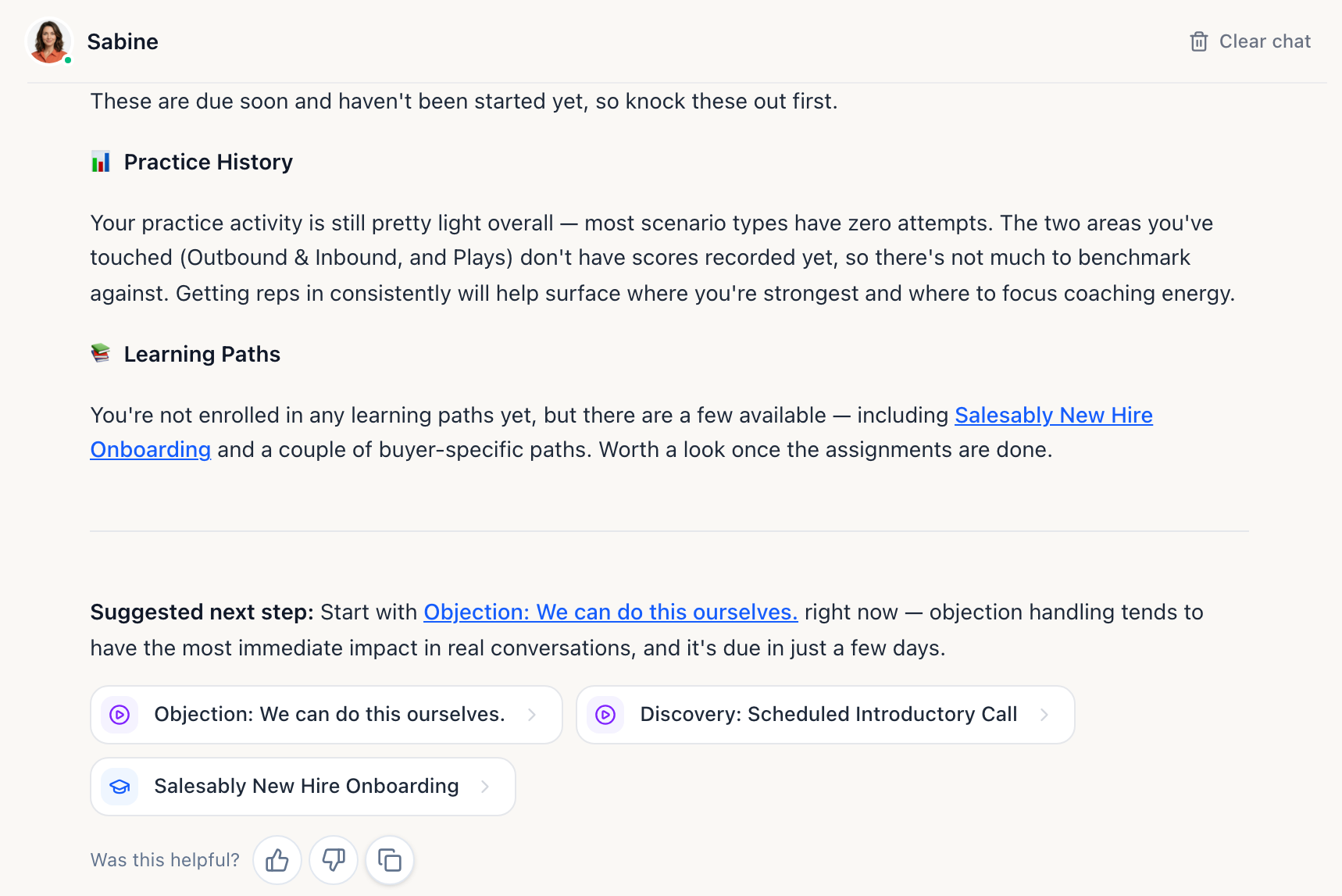
Ask what to work on, get the answer, and open the work from inside the answer.
The goal was never a longer conversation with an assistant. Advice that ends with "you should practice objection handling" hands the rep a second job: go find it. Advice that ends in a link is advice that gets acted on, and the thumbs give us the signal to fix the recommendations that miss.
Her navigation answers are also grounded in what actually exists in your studio, so a link she offers is a link that opens.
A rep home screen you can start from
Who it is for: Reps.
The home screen now gives pending assignments and tests that are due their own sections, each with a count and a link to its full list. Practice cards are click targets across the whole card. My Results reads cleanly at a glance, with consistent rounding and a proper empty state before a rep has been scored.
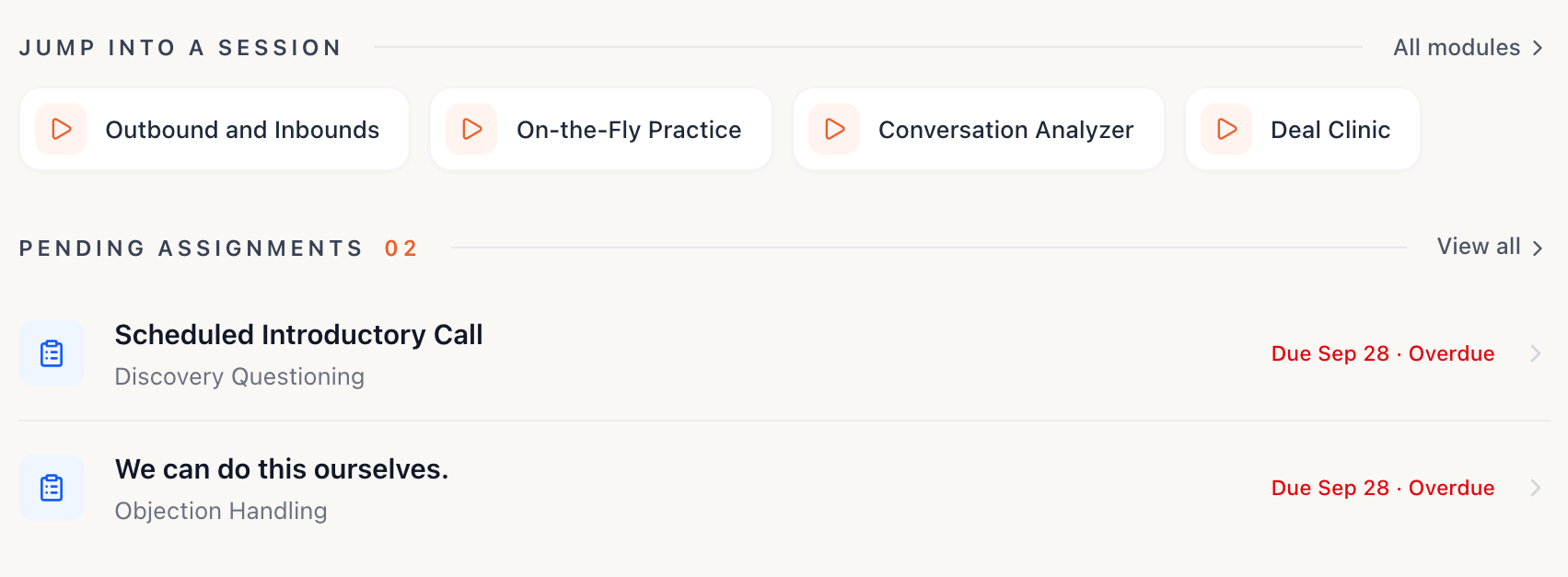
Whole cards are click targets now, and pending work has its own count and its own list.
A rep opening Salesably between calls has about two minutes of attention to spend. All of it should go on the conversation they are about to practice, and none of it on working out where to click.
Studio material carries its context
Who it is for: Admins, and the reps who use what admins publish.
Web resources now show a rich preview card, so a rep can see what a link is before deciding to open it. URLs inside practice playbooks are clickable. YouTube embeds fill their container instead of sitting in a small box.
On the admin side, the FAQ and glossary group editors were rebuilt, and so was the Learning Path section content manager. Large studios depend on this material to keep Sabine, practice and feedback speaking the team's actual language. Keeping it current should not feel like a punishment.
Also shipped in August
- Self-service password reset. A rep who locks themselves out is back in without waiting on an admin.
- Zoom and Otter imports sit alongside calendar auto-join in Settings, so past meeting transcripts can be pulled straight into Conversation Analyzer.
- Learning Path results now use the annotated transcript viewer, so a path result reads exactly like a practice result, and the Learning Path pages were combined into one place.
- Multi-persona practice moved forward, with multi-persona simulations now flagged in the assignments catalog.
- The simulator chat was rebuilt for vertical space, matching the layout the practice simulator already uses.
- Salesably Recorder on iPad. The Recorder now supports iPad alongside iPhone and Android.
- Design tokens now carry every colour in the product, which is the groundwork for consistent theming.
- Plus the usual round of polish across mobile, PDF exports, phone practice and admin reporting.
What August was actually about
Define. Practice. Prove. Improve. The loop only works at the speed of its slowest handoff, and in August every one of those handoffs was a person remembering to do something.
The call gets captured because the calendar already knew about it. The manager sees the exact window the question is about. Sabine hands over a link instead of a homework assignment. The rep can tell a test from an assignment without reading carefully.
None of that is glamorous. All of it is the difference between an execution system that runs and one that runs when someone is watching.
If you want to see the loop end to end on your own playbook, book a demo.
Author

Vidal Graupera
Vidal is the Founder of Salesably, focused on using AI to elevate human skills in sales training and enablement. He has extensive experience in building platforms that leverage artificial intelligence for sales improvements.
Table of Contents
Free Sales Training Guide
Download our comprehensive guide to building effective sales training programs that drive results.
AI Sales Training Template: 2026 Edition
PDF Guide • 16 pages • 3.0 MB
We respect your privacy. Unsubscribe at any time.