Deal Clinic: Does This Deal Add Up?
Deal Clinic checks every deal against your own sales methodology and writes a readout: what the evidence supports, what is still open and what the manager should ask next. It also drafts the follow-up email and keeps the deal current from updates and emails.
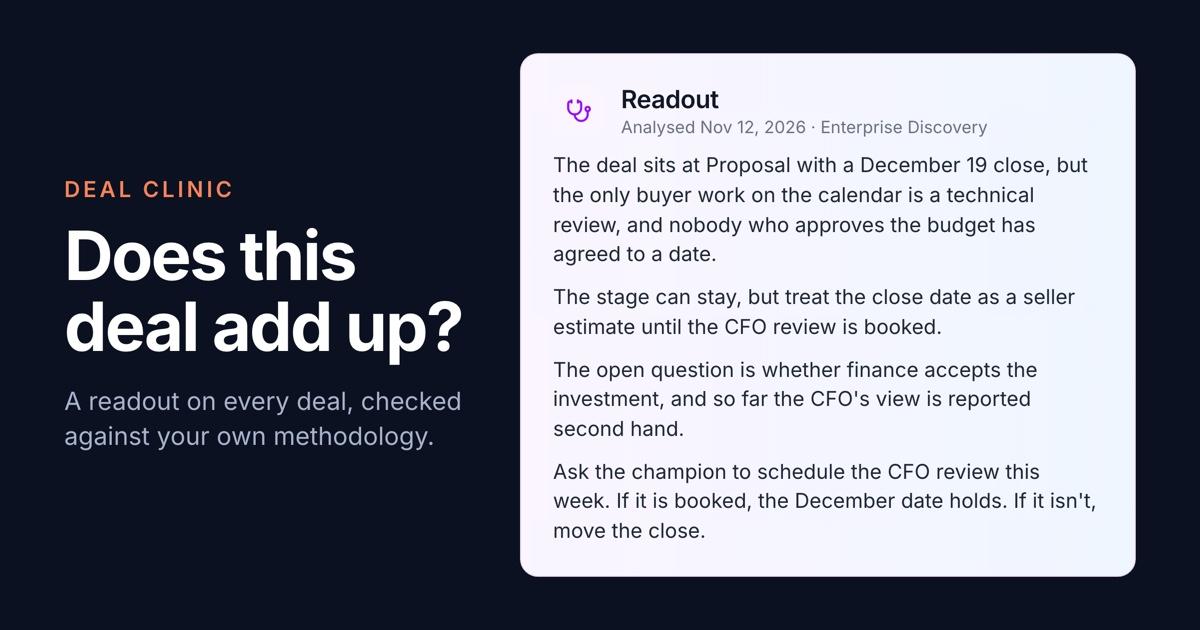
Deal reviews run on what the rep says. The stage says Proposal, the close date says December, and the manager has a few minutes per deal to work out whether any of it is supported. Most weeks there are more deals than minutes.
Deal Clinic does that first read for every deal. A rep gives it notes, a transcript or a short spoken summary. It checks the deal against your own sales methodology and writes a Deal Diagnostic Readout: what the evidence supports, what is still open, and what the manager should ask next. When the deal moves, the rep posts an update and the readout is written again.
What it does
Every readout opens with four sentences. They answer the question a manager brings to a deal review: does this position add up, and what happens next that will support it or challenge it? The first sentence names the biggest mismatch between the story and the evidence. The second says how far to rely on the stage and the dates. The third names the uncertainty underneath. The fourth is the next action.
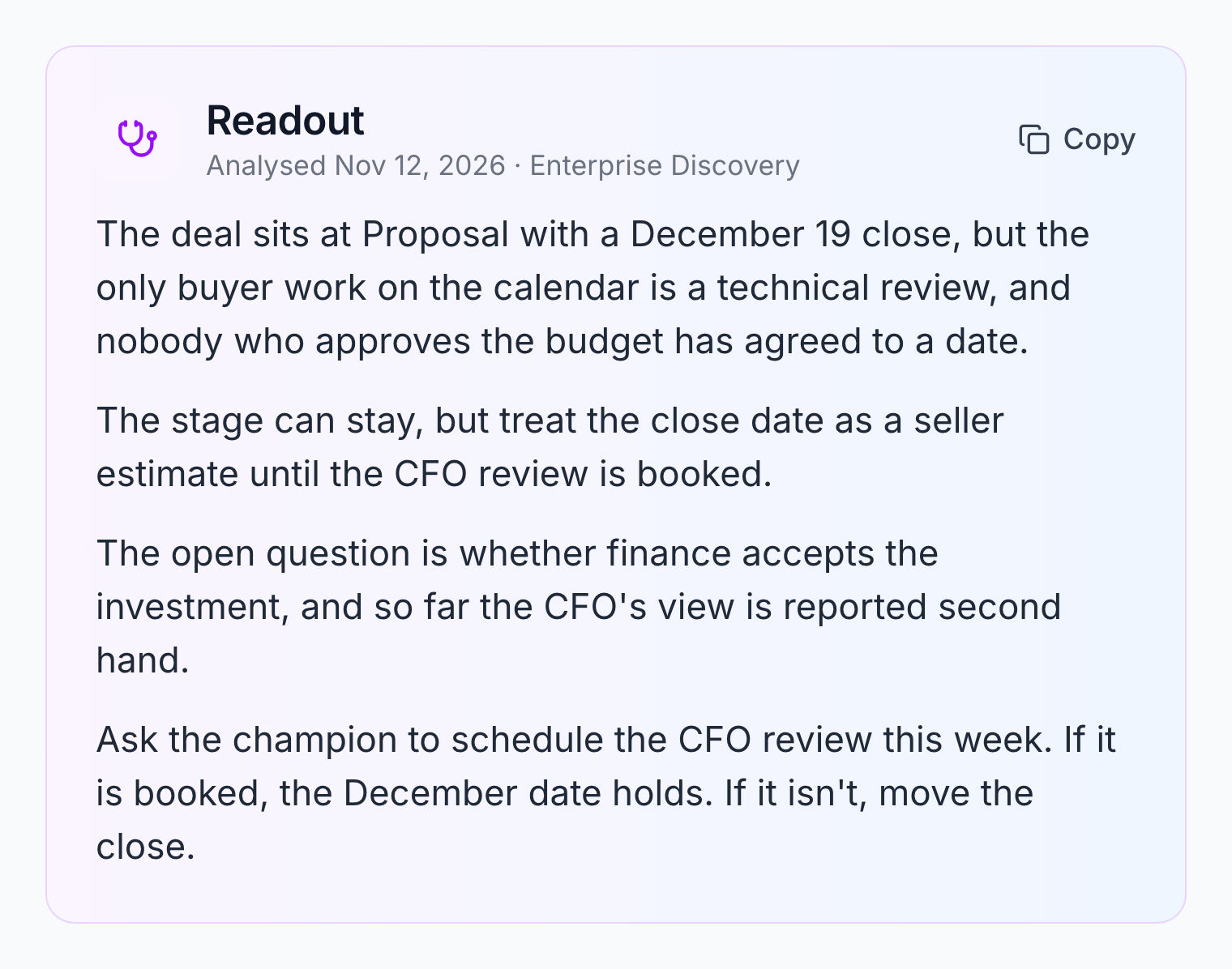
The deal in these pictures is a demo, not a customer's.
The readout has no score. It doesn't rate the deal or put a closing probability on it. It says what was reported, what was inferred, and what nobody has established yet. When a deal is in good shape, it says that too.
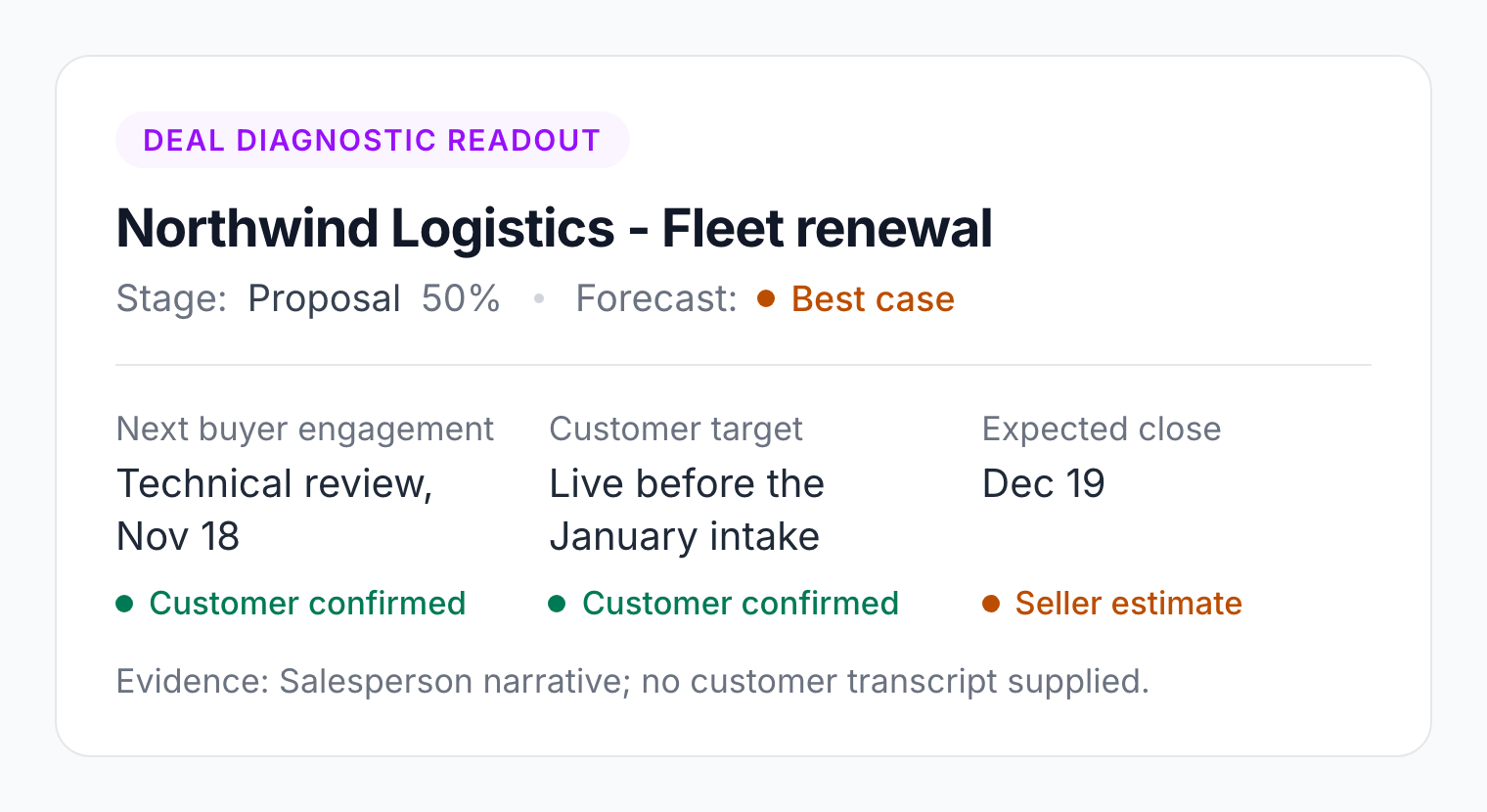
Above the four sentences, the readout lists the three dates that matter and where each one came from: Customer confirmed, Seller estimate or Not established. A close date the rep picked and a close date the buyer agreed to stop looking the same.
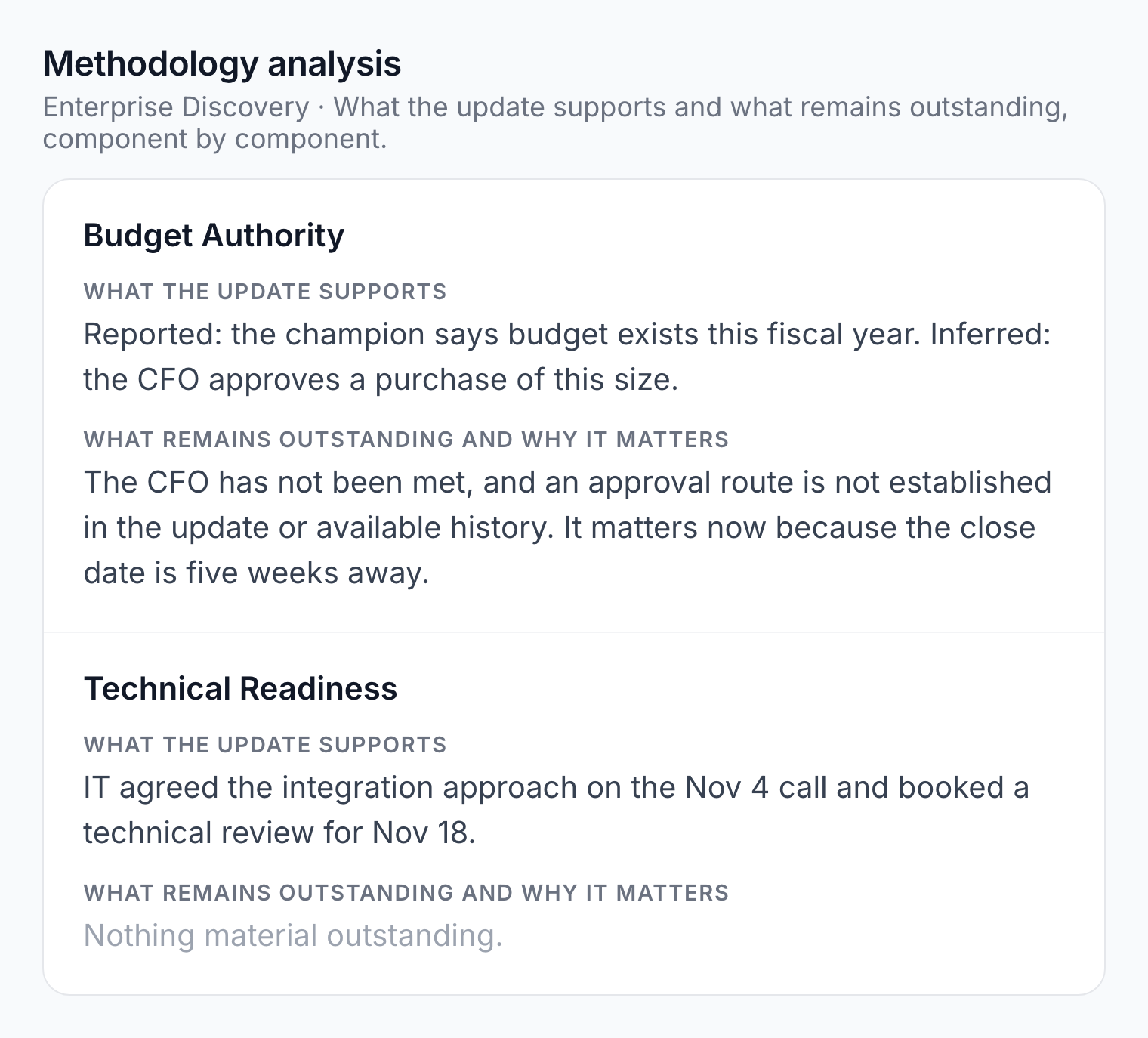
Below them is the Methodology analysis. It has one row for each part of your methodology, with what the update supports on one side and what remains outstanding, and why it matters, on the other.
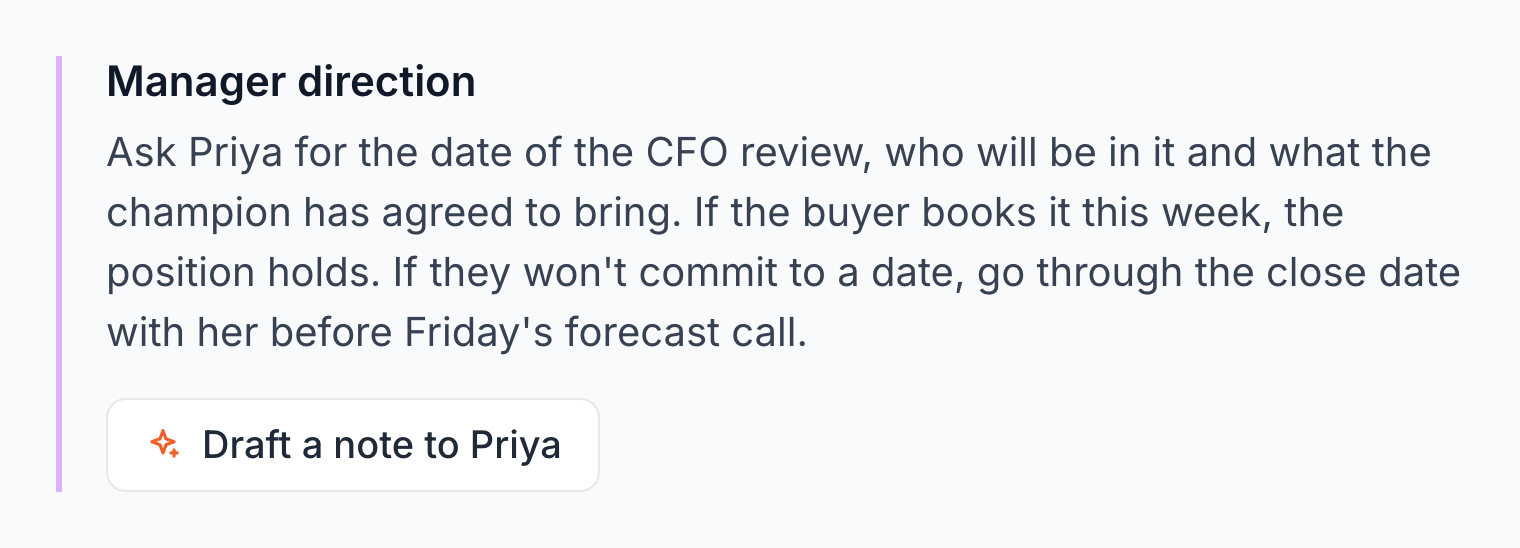
After the analysis comes Manager direction: a short paragraph telling the manager what to ask the rep for. On a deal one of their reps runs, a manager clicks the button under it and Sabine, Salesably's AI sales enablement agent, drafts that note from the readout. The manager edits it and sends it, and the rep's reply lands in the manager's inbox.
The rest of the readout is the working material for the next conversation:
- An executive summary of the buyer's situation, goals and the opportunities in the deal.
- Areas needing deeper discovery, with the questions to ask.
- Language of Risk Detected: phrases in the material that lower confidence in the deal.
- Plan-to-Close: the decision process, the gaps that block it and the buyer commitments to get next.
- Next Meeting Agenda.
- Draft Follow-up Email: an email to the customer, ready to copy. It names the next meeting date only when one is booked.
The follow-up, the CRM and the manager
A debrief is worth little if the work after it still waits on the rep's memory. Deal Clinic handles the three jobs that usually slip.
The follow-up email. Every readout ends with a draft the rep copies, edits and sends. Deal Clinic never emails your customer itself.
The CRM. If your studio connects HubSpot or Pipedrive, a rep starts a readout by importing the deal, and its notes and activities come with it. For a Pipedrive deal, Push to Pipedrive adds the readout to the deal as a note. HubSpot deals get a link back to the record.
The manager. When an update changes something material, such as a budget limit, a timeline or a decision maker, the rep's manager gets an email saying what changed. For a deal that needs closer watching, a manager turns on Alert for any updates and hears about every change.
How it works
- Open Deal Clinic from the side nav and click Diagnose Deal.
- Pick the methodology. Under Expert Model (DEM), choose the model your admin built. A DEM, short for Discovery Expert Model, is your methodology written down: the areas your best sellers always probe and the questions they ask in each.
- Name the deal and set its pipeline stage. Each stage carries the probability and forecast status your admin gave it.
- Fill in the Meeting Timeline. First meeting, last meeting, next scheduled meeting and expected close date. Leave the next meeting empty if none is booked. The readout will say so.
- Give it the deal. Under Deal Input, pick one source: Notes, Upload, Voice, Past for a conversation Salesably already recorded or analyzed, or HubSpot or Pipedrive. With Voice, talk through the deal the way you would with your manager.
- Click Diagnose Deal. The readout opens when the analysis finishes.
Meetings recorded with Salesably skip all six steps. When Deal Clinic is on for your studio, the readout is written from the transcript after the call and emailed to the rep.
Keeping a deal current
A readout is not a one-off report. Under Deal updates, the rep posts what changed and the analysis runs again with the new information. Five prompts above the box say what a useful update covers, and none of them is required.
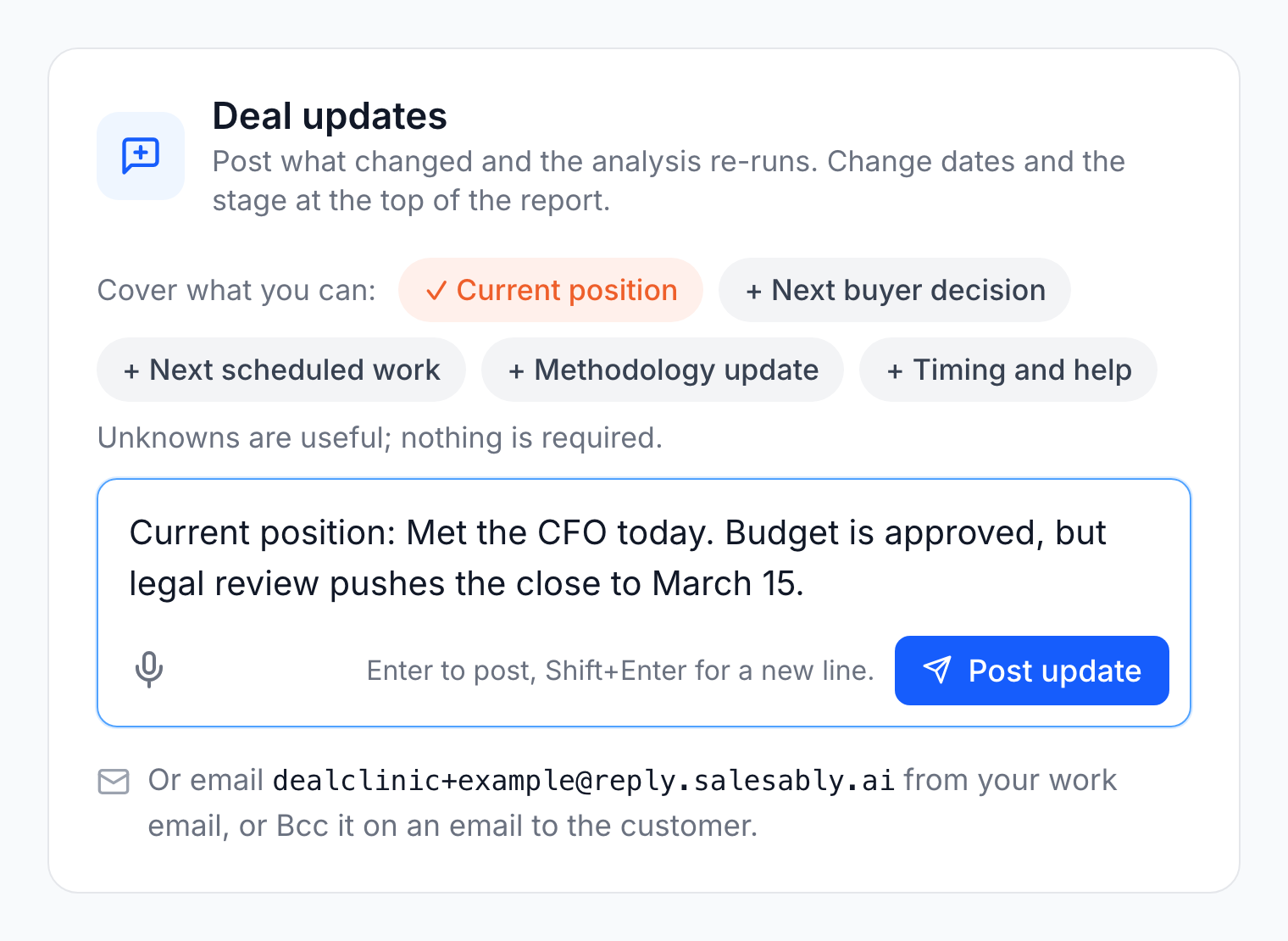
Each deal also has its own email address. A rep writes to it from their work email, or adds it in Bcc on an email to the customer, and the email becomes an update on the deal. Only the rep and their managers can update a deal this way, and nothing is ever sent back to the customer.
Admins can schedule Check-in emails for the whole studio or for one rep. They ask about deals closing soon, and replying to one updates the deal. A manager can also send one from any readout with Send Check-in Email.
Managers add context in Manager's Notes. The rep sees it, and it is included the next time the analysis runs.
Anyone reading a readout can also ask Sabine about it, from why a row is marked outstanding to how to open the next call.
Where to start
- A deal you think is solid. Dictate a couple of minutes on it and read the four sentences. If they agree with you, you have the evidence written down. If they don't, you found out before your forecast call.
- A deal with no next meeting. Leave Next Scheduled Meeting empty and see what the readout makes of the close date.
- A call you already recorded. Open Past, pick the conversation and run it. There is nothing to type.
- This week's customer email. Bcc the deal's address on it and watch the readout change.
Try it
Deal Clinic is turned on per studio. Once it is on, every rep can diagnose their own deals, and admins and supervisors see the readouts of the reps they manage. Expert Models are built in the Admin area.
Want to see a readout on one of your own deals first? The free diagnostic takes pasted notes and returns a one-page diagnosis. The Deal Clinic page has the full comparison.
New to Salesably? Book a demo. See how you sound different.
Author

Vidal Graupera
Vidal is the Founder of Salesably, focused on using AI to elevate human skills in sales training and enablement. He has extensive experience in building platforms that leverage artificial intelligence for sales improvements.
Table of Contents
Free Sales Training Guide
Download our comprehensive guide to building effective sales training programs that drive results.
AI Sales Training Template: 2026 Edition
PDF Guide • 16 pages • 3.0 MB
We respect your privacy. Unsubscribe at any time.