What's New in Salesably - October 2026
Guide now floats over Zoom, Meet and Teams calls on the Mac, a whole team can join from one link or QR code, and objection practice can keep the objection hidden until the buyer raises it.
Most coaching shows up after it could have helped. The buyer has already said "let me think about it." The new hire spent the first training session waiting for a login. The deal review runs on whatever the rep remembers.
October moved help closer to the moment it is needed, in five places.
A live coach that sits over your video call
Who it is for: Reps who sell on Zoom, Google Meet or Microsoft Teams.
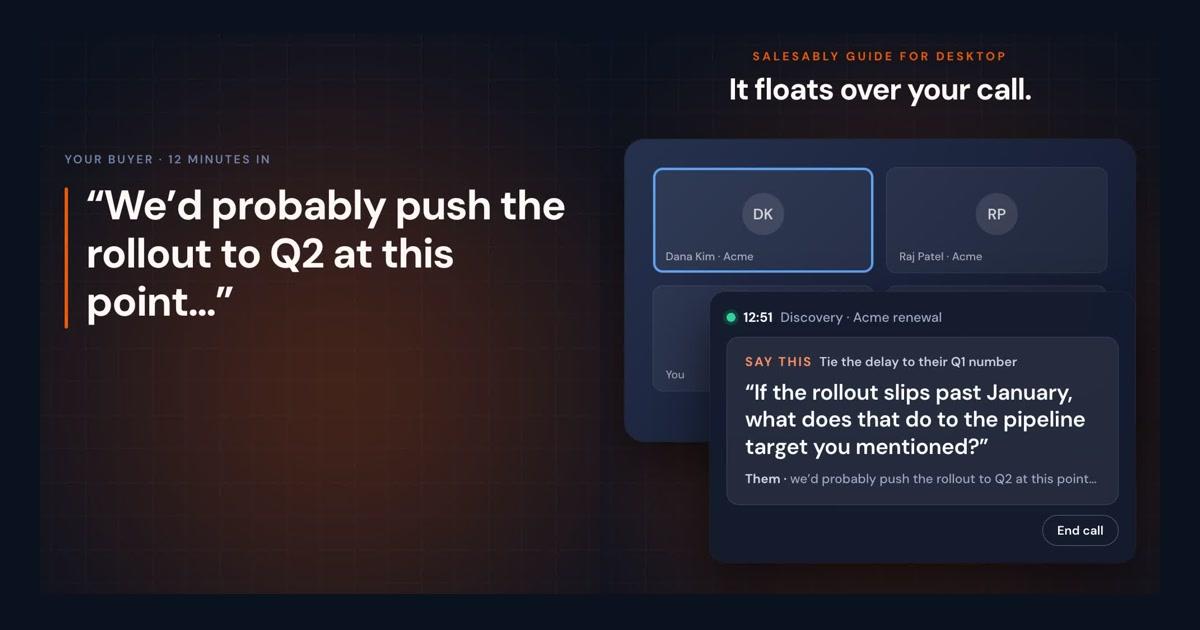
Guide, the live call coach, now runs as a desktop app on the Mac. It sits in a small window over the meeting, hears both sides of the conversation, and puts the next line on screen while the buyer is still talking. Setup is one step: allow the microphone, and Guide also hears the meeting's audio. The window is built to stay out of your screen share.
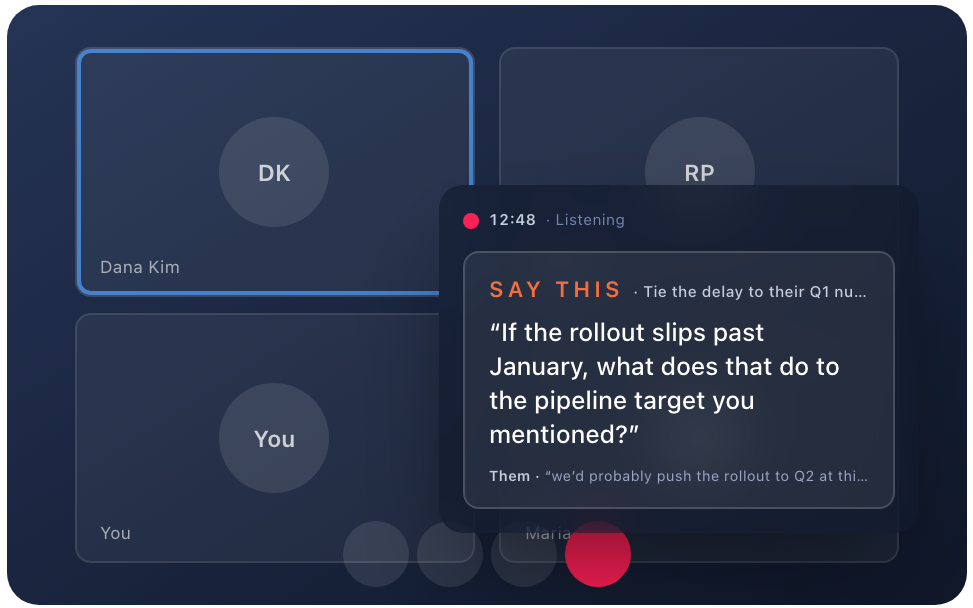
Guide floats over the meeting with the next line to say.
The cues now draw on the call and on your studio's positioning, alongside your approved Q&A answers. When the buyer gives a soft no, such as a vague promise to circle back, Guide names it beside the cue while there is still time to respond. When the call ends, a debrief appears with the transcript in Conversation Analysis. On the phone, the Salesably Recorder app asks "Record this one?" when a call starts and can remember the answer, so a rep can be coached without keeping a recording. Recordings can now run up to three hours.
Help on a call is worth the most while the buyer is still talking. That goes double for reps who are new to selling.
Where to find it: Execution, then Guide (Live Call Coach), then Download for Mac. A Windows version is on the way. For in-person meetings, Guide is in the Salesably Recorder app on iOS and Android.
Bring a whole team in with one link
Who it is for: Admins, owners and trainers bringing on a team or a class.
Add people now starts by asking how. Share one invite link or QR code, add a single person, or import a spreadsheet. The invite is a link, a QR code and a short join code. Put the QR code on the screen in a training room and everyone scans it and creates their own account. Tick Start in training mode, and new members see only their assigned training, the playbook, their results and the leaderboard. When the class is over, Reset invite retires the link, the QR code and the code together.
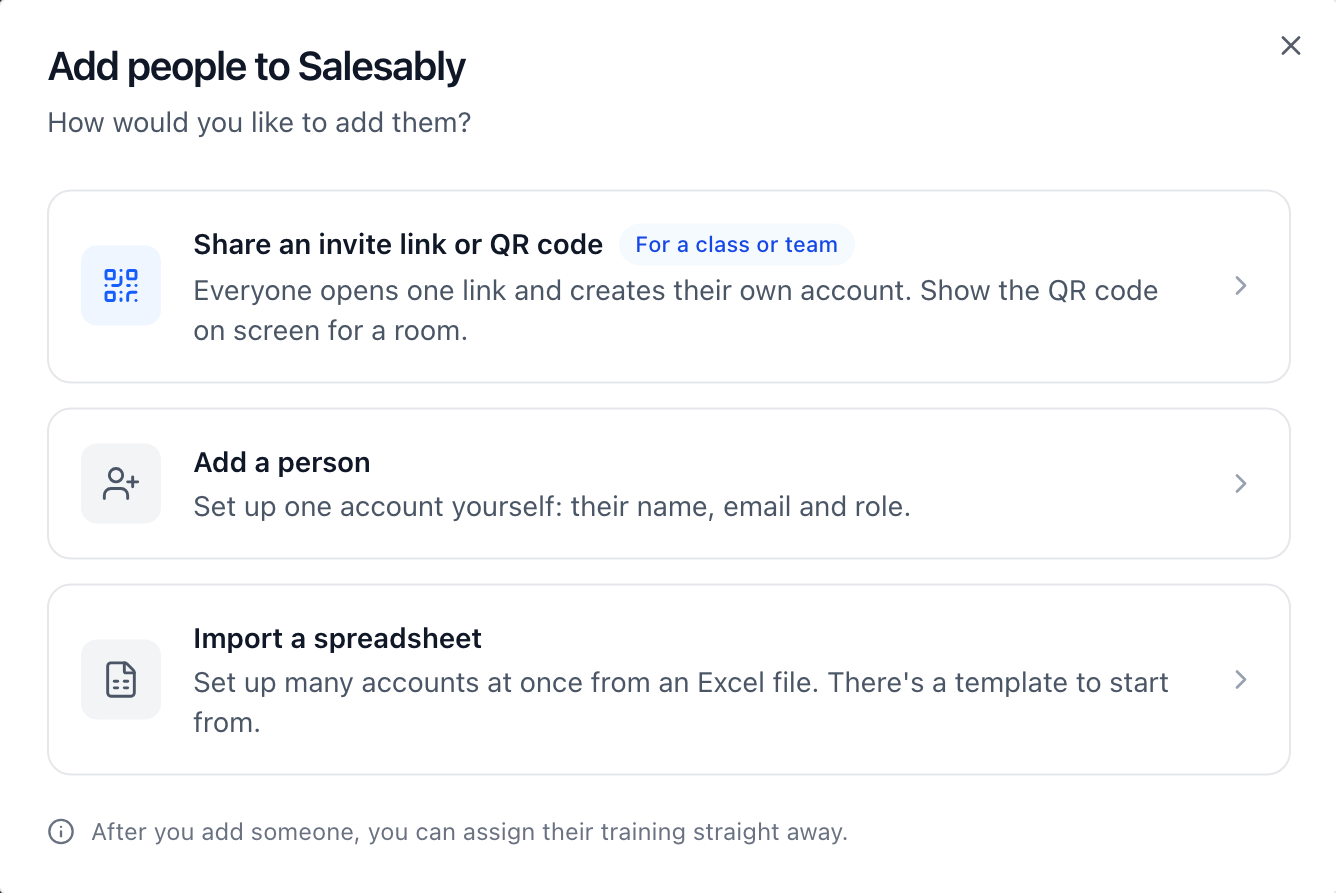
Pick how to add people, then assign their training straight away.
For accounts you set up yourself, Salesably gives each person a temporary password that works for 30 days, until their first sign-in. If someone has not signed in yet, their profile shows the password again with a button to resend the welcome email.
A trainer with a room of new hires gets the whole hour for hard conversations, because nobody is stuck waiting on a password.
Where to find it: Admin, then People, then Add people.
Every rep on one page, and a Sabine who remembers
Who it is for: Managers.
Team, then Members, now lists everyone you are responsible for, with when they were last active, their sessions in the last 30 days, their average score, overdue work and who needs attention. Open a person and their page has a coaching card and tabs for Progress, Coaching report, Assignments, Learning paths, Tests, Badges and OKRs. Analyze a call for that rep from the same page.
Sabine, the AI sales execution agent, now keeps one memory across Salesably: home, results, email and the phone app. Ask her what a rep should practice on the home page, open a result later, and she can pick up what you agreed. On Conversation Analyzer and Deal Clinic results she reads the whole call. Reporting questions go to her too: ask in plain words and she builds the report. Every chat with her sits under Chats on the left rail.
Coaching starts with knowing what someone has actually done, and now that lives on one page.
Where to find it: Team, then Members. Your chats with Sabine are under Chats.
Deal Clinic leads with the diagnosis
Who it is for: Managers and reps working active deals.
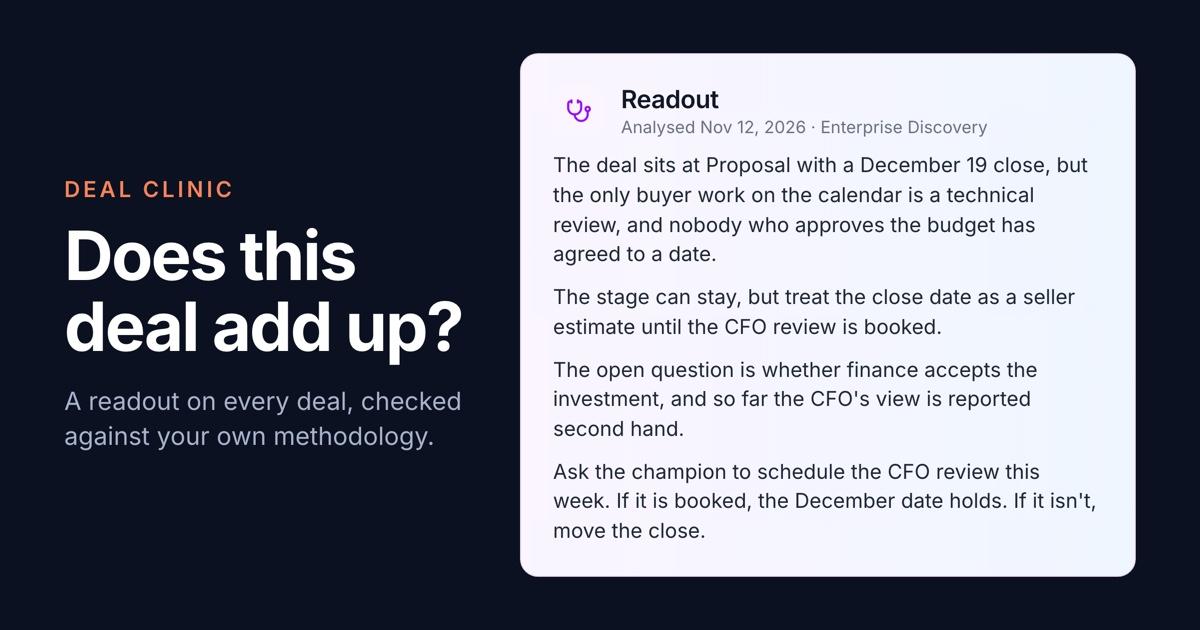
Deal Clinic readouts now open with a four-sentence diagnosis: what is happening in the deal, where it stands, the key uncertainty and what to do next. The methodology table follows, showing what the evidence supports and what is still outstanding, component by component.
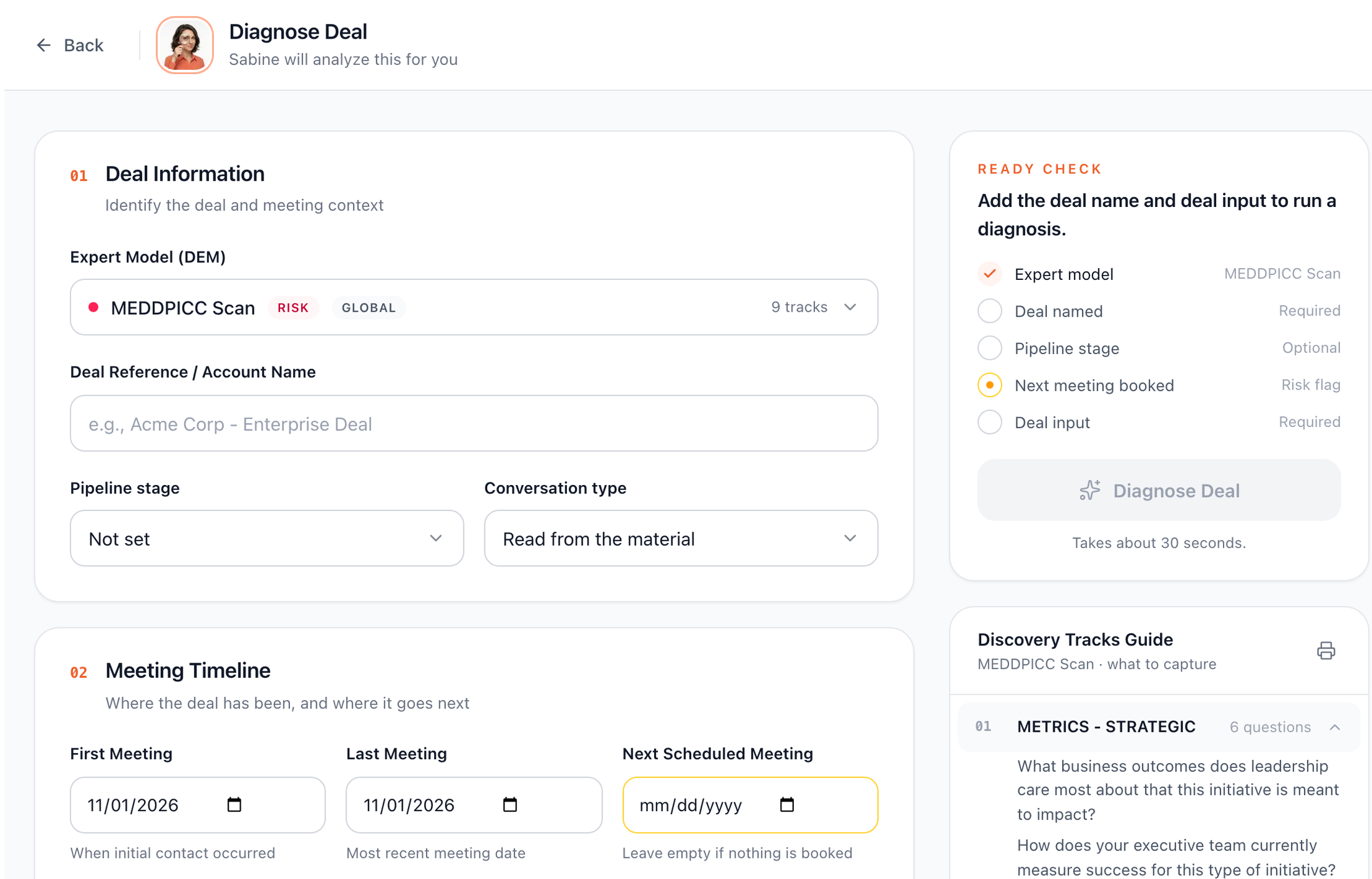
The new Diagnose Deal form, with a Ready check that shows what is still missing.
Studios can define their own pipeline stages, each with a probability and a forecast label, and the readouts list filters by stage. A rep, or their manager, can post a deal update, typed or dictated. The readout runs again, and a material change alerts the rep's manager. The Diagnose Deal form is rebuilt around three steps (deal information, meeting timeline, deal input), with a Ready check beside it.
A pipeline review goes better when it starts from what the buyer actually said and ends on the rep's next move.
Where to find it: Execution, then Deal Clinic. Pipeline stages live in Admin, then Studio Settings.
Practice that does not tip off the objection
Who it is for: Reps, and the admins who build their practice.
Objection practice has a new choice at the top of the list: Random objection. Salesably picks one of your studio's objections and keeps it hidden until the buyer raises it. The rep has to hear it, work out what the buyer means, and answer on the spot.
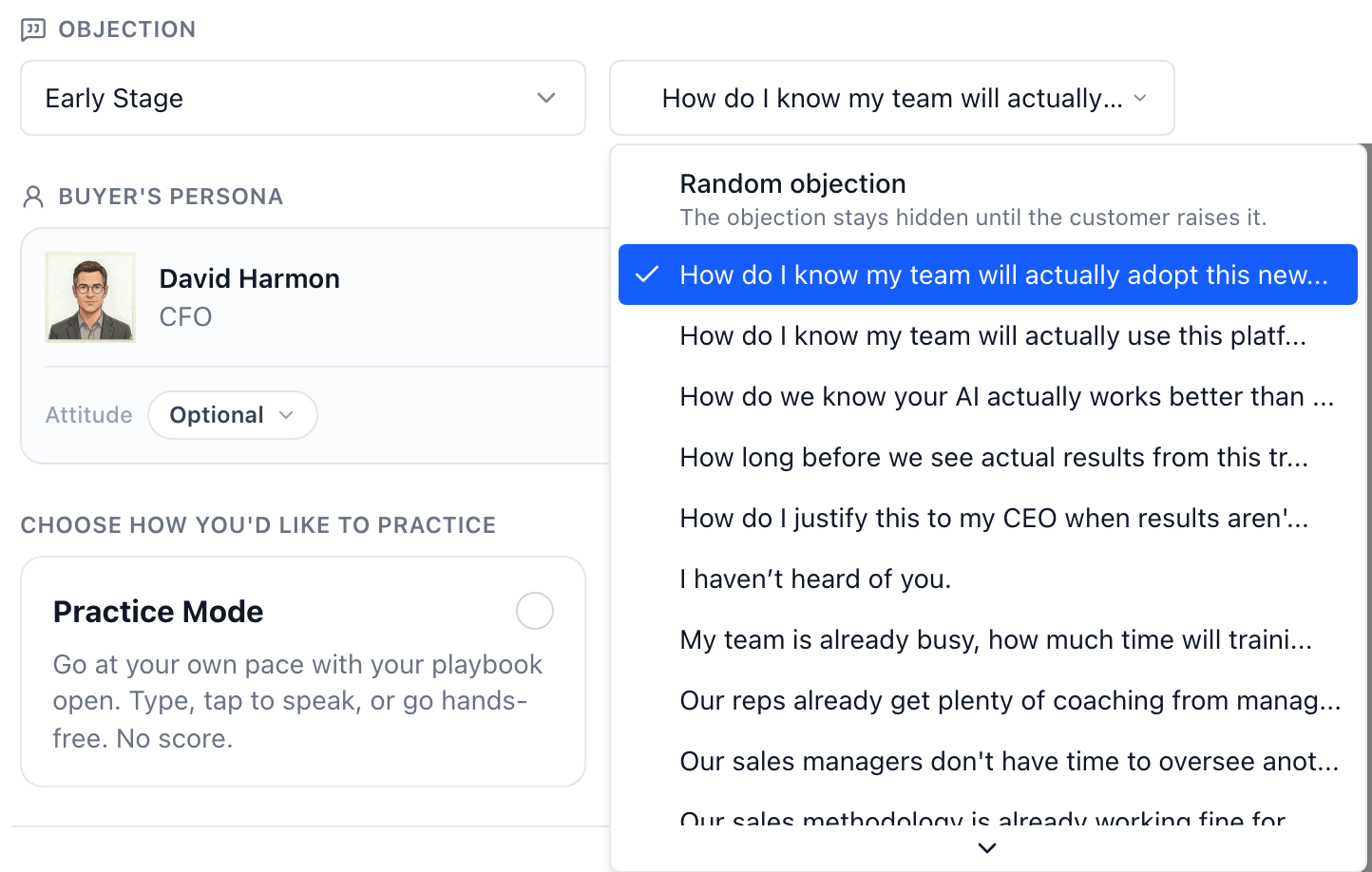
Random objection stays hidden until the buyer raises it.
Practice is quicker to run, too. Hold the space bar to talk and release it to send. Admins can make one buyer persona the studio default, so new practice starts with the right buyer when nobody picks one. Each persona's discovery questions now sit in the buyer profile drawer, and admins can let a session run to 15, 20 or 25 turns.
Real buyers do not announce their objection in advance. Practice that hides it is closer to the call it is preparing for.
Turn it on: Practice, then Objection Handling, then pick Random objection from the objection list. To set a default buyer, open Admin, then Personas, and choose Make default.
Also shipped in October
- Learning Paths from what you already built. Add any saved scenario to a path section, and mark a path complete by hand when the requirement was met elsewhere, then undo it if needed.
- Lesson decks as files. Download a lesson deck as a PDF or an editable PowerPoint, and regenerate a text lesson as a deck.
- A new left rail. Home, Bookmarks, Learn, Practice, Execution, My Results, Team, Admin and Chats, with up to eight bookmarked pages that follow you across devices.
- Leaderboards by window. Filter by Today or the last 7, 30 or 90 days, in your own time zone.
- Clean up what you dictate. Q&A answers, manager notes and deal updates get a Clean up text button that fixes spelling and punctuation without changing what you said.
- Easier to share. Send a link that opens one Q&A group, and print a takeaway report.
- Plus a round of polish across mobile, the Notetaker and reports.
What October was actually about
Define the standard, practice it, prove it on real calls, and fix what breaks. October worked on the part of that loop where help usually arrives late.
Guide now coaches on the video call itself as well as on the phone. Practice hides the objection the way a buyer would. A manager can see a rep's whole picture on one page and ask Sabine for the rest. And a team can be practicing the same day it is invited.
The closer help gets to the moment a rep needs it, the more of it shows up on the next call.
If you want to see the loop end to end on your own playbook, book a demo.
Author

Vidal Graupera
Vidal is the Founder of Salesably, focused on using AI to elevate human skills in sales training and enablement. He has extensive experience in building platforms that leverage artificial intelligence for sales improvements.
Table of Contents
Free Sales Training Guide
Download our comprehensive guide to building effective sales training programs that drive results.
AI Sales Training Template: 2026 Edition
PDF Guide • 16 pages • 3.0 MB
We respect your privacy. Unsubscribe at any time.