What's New in Salesably - September 2026
Guide now puts your studio's approved answers on screen during live calls, buyers can speak German or Spanish, and any criterion in your standard can be marked must pass.
Most of what decides a deal happens in moments nobody prepared for. The buyer asks a pricing question the rep half knows. The prospect would rather speak German. The one thing the rep could not skip, they skipped, and the score still looked fine.
September went after those moments in five places.
Guide answers with your team's approved answers
Who it is for: Reps who use Guide on live calls.
Guide is the live coach in the Salesably Recorder app. It listens to a real conversation and hands the rep the next line, the right move, and what to watch for while the call is happening.
Now, when the buyer asks something your studio already has a Q&A for, Guide's cue is that answer, word for word, under the question. When there is no approved answer, Guide coaches the moment the way it always has.
Every team has questions it has already answered well: pricing, security, the competitor everyone asks about. The hard part is getting that answer said on the call, by every rep, under pressure. Putting the agreed answer on screen at the moment the question lands is how a standard transfers from the playbook to the conversation.
Where to find it: Guide in the Salesably Recorder app on iOS and Android. Answers come from your studio's Q&As, so keeping that list current keeps Guide current.
Buyers that sound like your buyers
Who it is for: Admins who build practice.
Personas can now speak English, German or Spanish, where your studio has those languages switched on. The language belongs to the buyer, so choosing a German buyer is the whole setup: they speak German, listen in German, use a native voice, and the feedback comes back in German. Phone practice behaves exactly like browser practice.
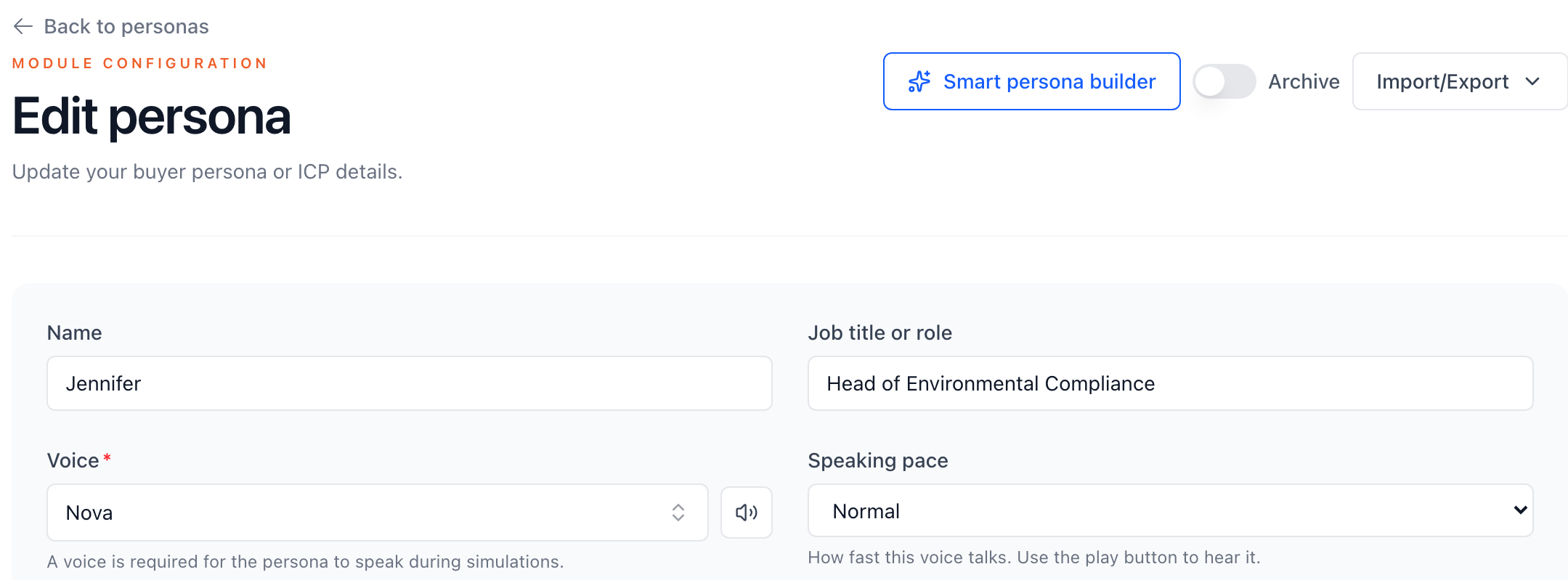
Speaking pace sits next to Voice. In studios with more than one language, a Language field joins them.
Two more controls sit beside it. A speaking pace setting makes a buyer talk faster or slower, and new Asian-accented English voices widen the range of buyers a rep can hear. Each scenario also gets its own instructions for the buyer, so a persona can brush the rep off on a cold call and behave differently in discovery without a second copy of that persona.
A rep who will sell in German should not rehearse in English and hope the phrasing shows up under pressure. Practice transfers when it sounds like the conversation it is preparing for.
Turn it on: Personas, then the Language field. Languages are enabled per studio, so ask us to switch on German or Spanish.
Standards with non-negotiables
Who it is for: Admins and managers who set the standard.
Any criterion can now be marked Must pass, with the level it has to reach. A rep who falls short on that criterion does not pass the attempt, however well the rest of the call went. The result names the criterion and the level it needed, so nobody has to guess why.
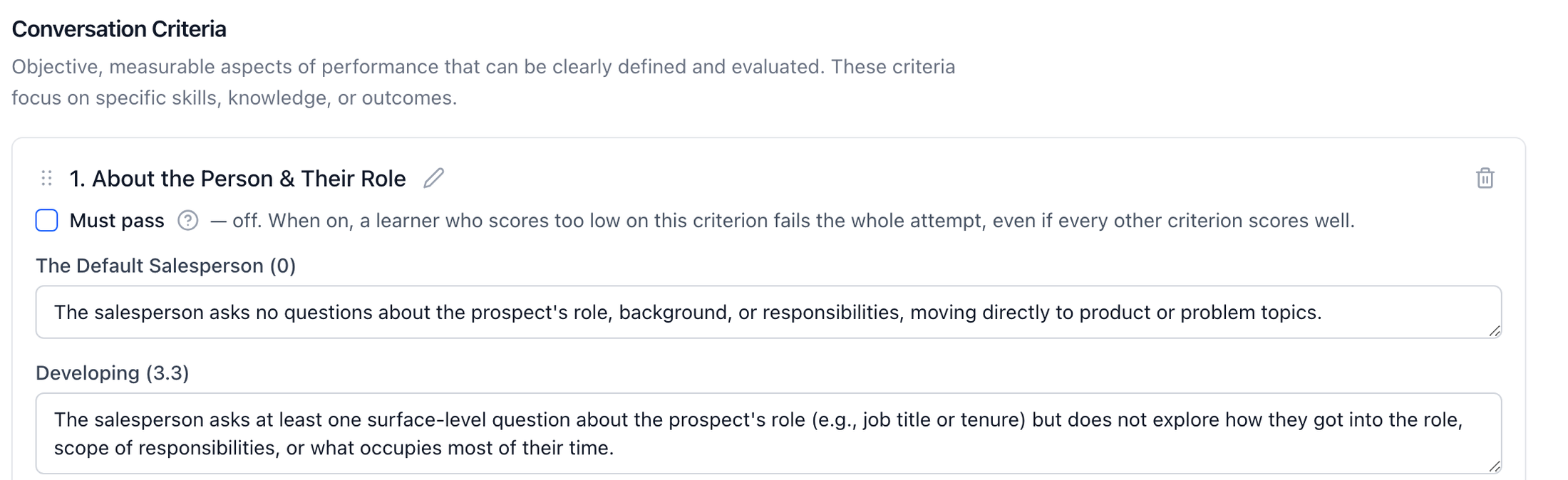
Must pass sits on every criterion. Turn it on and pick the level the rep has to reach.
Feedback also got closer to your own material. When a rep fumbles a question your studio has an approved answer for, the feedback draws on that answer instead of a generic one. Coaching examples are now tied to the specific criterion they are meant to improve.
An average hides the thing that matters most. A strong discovery call that never confirmed the budget owner is not a strong call. Must pass lets the standard say so.
Where to find it: Rubrics, edit a rubric, then the Must pass box on any criterion.
Send the review to the person who needs it
Who it is for: Managers.
Conversation Analyzer results now have a Share button. Pick the teammates who should see it, add an optional note, and each person gets an email with a direct link to the call, the score and the feedback.
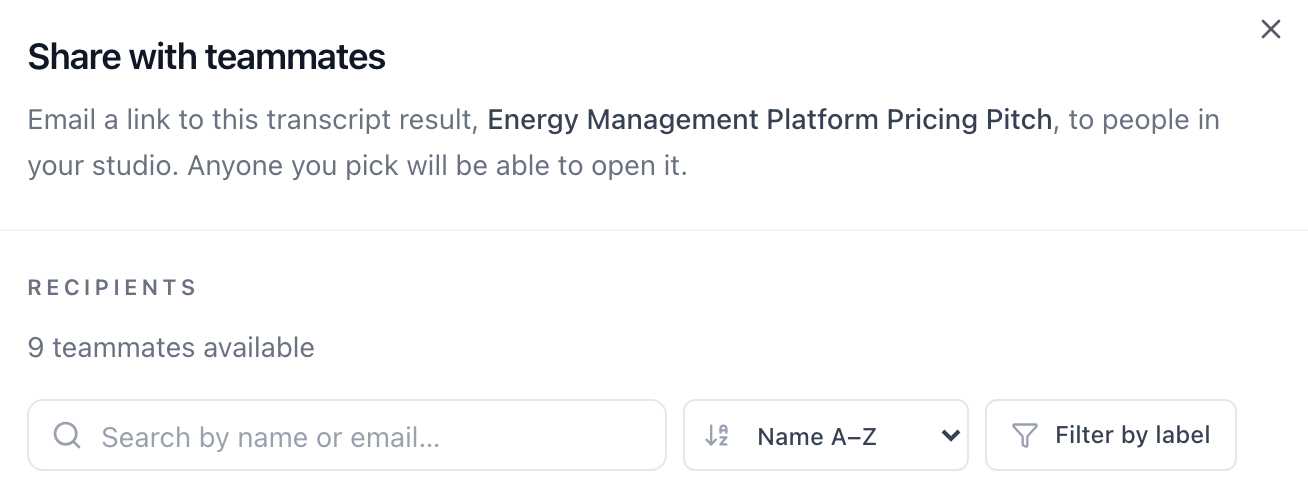
Pick the teammates, add a note, and each one gets a direct link.
Coaching loses force when the evidence lives in one manager's dashboard. Sending the exact review keeps the conversation on what happened on the call, not on anyone's memory of it.
Where to find it: Open any Conversation Analyzer result, then Share.
Learning Paths that keep moving
Who it is for: Admins and managers.
Every incomplete enrollee in a Learning Path now has a Remind button, and there is a Remind all incomplete action for the whole list. The row then shows when that person was last reminded, so nobody gets nudged twice in a day. Admins can also reset someone's progress on a path without deleting the work they already saved.
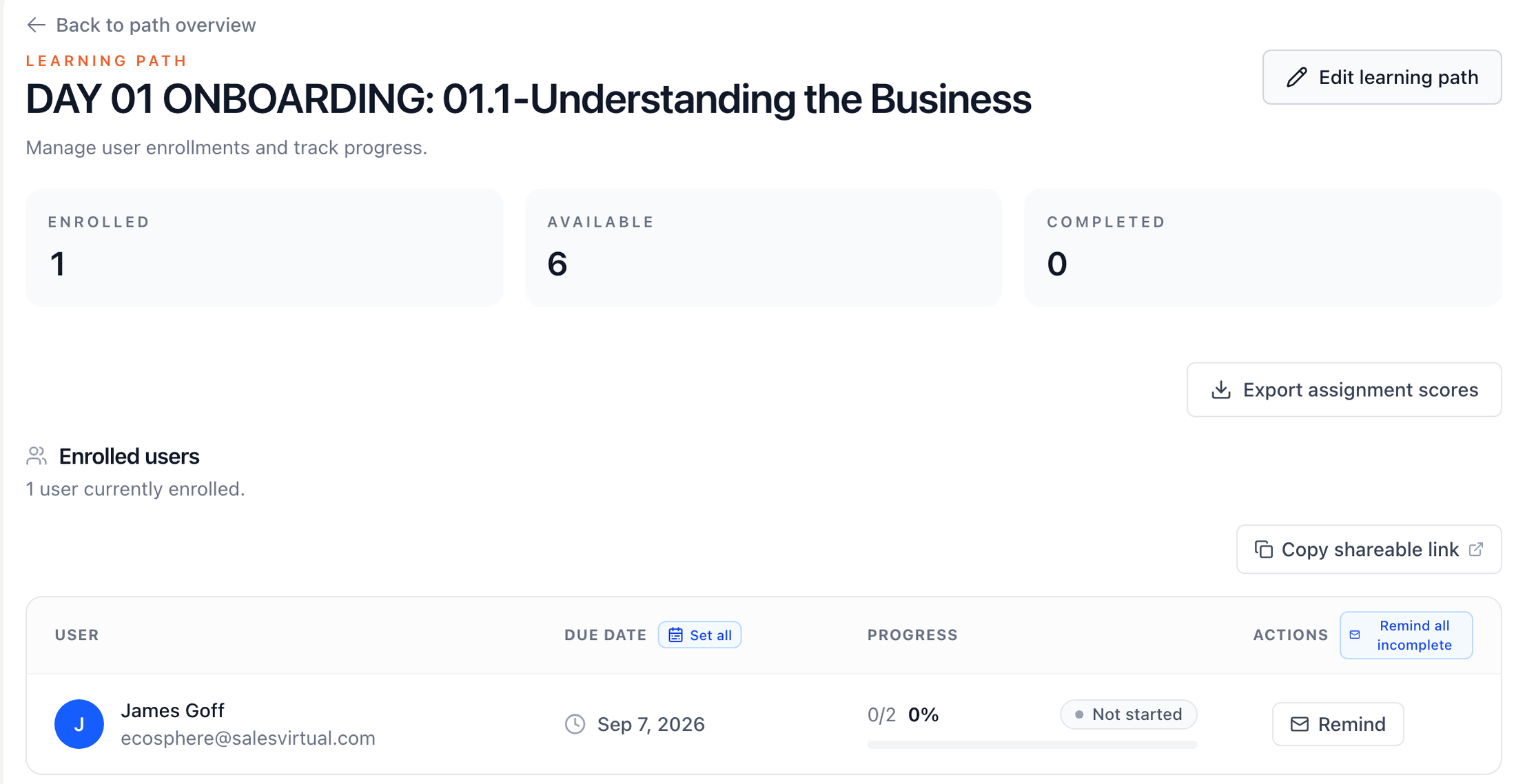
Remind one person or everyone still incomplete, from the same table.
Assignments are easier to reuse and hand out. Duplicate any assignment and edit the copy, so a Practice assignment can become a Live Mic one without rebuilding it. Copy a direct link to an assignment and drop it into Slack or an email. And scores for a Learning Path assignment export to CSV with every attempt, highest score and rank.
Readiness is a moving target. The reminder that lands the day before the deadline does more than the one that went out a week ago, and a manager should not have to wait on a schedule to send it.
Where to find it: Learning Paths, open a path, then the enrollee list.
Also shipped in September
- Search your whole studio. ⌘K (Ctrl+K on Windows) now finds Q&As, glossary terms, objections, personas, standards, stories and people, and Option plus a letter jumps straight to Practice, Learning Paths, Tests, Conversation Analyzer and more.
- Q&A tests in one step. Build a test straight from a saved question or an entire Q&A group.
- Result cards at a glance. Recent results show speaking turns and recording length, so a full session stands out from a short attempt.
- Walkthrough videos in Help. Short videos for admins and members cover setup, results and retakes.
- Reports that match the question. The engagement report follows the dates and attempts you pick, and the overdue report shows how many days each item is late.
- Printable reference. Glossary and Q&A pages have a print button.
- Faster everywhere. Enter sends every chat box, and result tabs swipe on touch screens.
- Plus a round of polish across mobile, reports and phone practice.
What September was actually about
Define. Practice. Prove. Improve. Most of the work this month sits at the edges of that loop, where the standard meets a real conversation.
The standard can now say what is not optional. Practice can happen in the language the buyer actually speaks. The answers your team agreed on show up on the live call, at the moment the buyer asks. And when something needs attention, the manager can send the evidence or the reminder in one click.
That is the difference between a standard that lives in a document and one that shows up on the call.
If you want to see the loop end to end on your own playbook, book a demo.
Author

Vidal Graupera
Vidal is the Founder of Salesably, focused on using AI to elevate human skills in sales training and enablement. He has extensive experience in building platforms that leverage artificial intelligence for sales improvements.
Table of Contents
Free Sales Training Guide
Download our comprehensive guide to building effective sales training programs that drive results.
AI Sales Training Template: 2026 Edition
PDF Guide • 16 pages • 3.0 MB
We respect your privacy. Unsubscribe at any time.